Introduction
A year or two ago, most AI tools had one primary job—they answered questions. Whether you wanted help writing an email, fixing a piece of code, or summarizing a document, you opened an AI chatbot, typed your prompt, and waited for a response.
Today, things have changed dramatically.
Modern AI agents don't just respond to prompts. They can plan tasks, browse the web, write code, analyze documents, automate repetitive work, schedule meetings, and even collaborate with other AI agents to complete complex workflows. In many cases, they feel less like chatbots and more like digital teammates.
That's exactly why AI agents have become one of the hottest topics in technology.
Whether you're a developer looking for a coding assistant, a freelancer trying to automate repetitive tasks, a business owner searching for an AI employee, or simply someone who wants to save time every day, there's now an AI agent built specifically for your needs.
I've spent the past several months exploring many of these tools, and one thing became obvious: not every AI agent deserves the hype it gets.
Some are excellent at software development.
Others shine at research.
Some automate business workflows incredibly well.
And a few are trying to become your complete digital assistant.
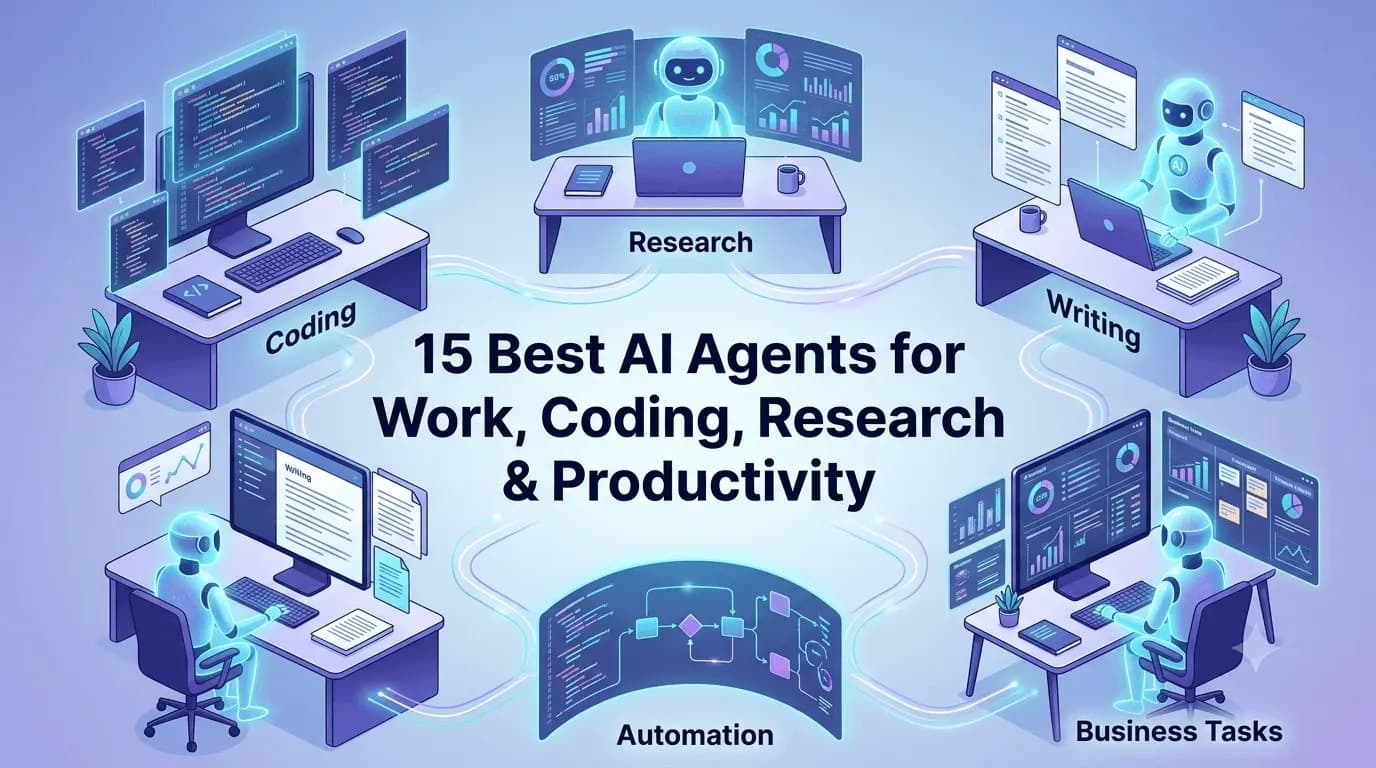
In this guide, I'll walk you through 15 of the best AI agents available today, explain where each one performs best, discuss their strengths and limitations, and help you decide which one is worth your time.
If you're also exploring AI tools beyond autonomous agents, don't miss our guide on 5 Best AI Tools for Productivity, where we cover AI applications that can help you write faster, organize your work, and improve daily efficiency. It pairs perfectly with this article because AI agents and productivity tools often complement each other.
If you're also exploring AI tools beyond autonomous agents, don't miss our guide on 5 Best AI Tools for Productivity (Beginner Friendly)
What Is an AI Agent?
Before we jump into the list, it's worth understanding what actually makes an AI agent different from a regular AI chatbot.
A chatbot mainly answers questions.
An AI agent goes several steps further.
Instead of waiting for every instruction, it can understand a goal, break it into smaller tasks, decide what to do next, use different tools, and continue working until the objective is completed.
For example, imagine you ask:
"Research the top competitors in my industry, create a comparison table, summarize their pricing, and prepare a presentation."
A traditional chatbot might provide some information and ask you to continue with the next prompt.
An AI agent, on the other hand, can often:
Search multiple websites
Collect relevant information
Compare competitors
Generate a report
Create slides
Suggest improvements
Deliver everything with minimal supervision
That's why many companies are starting to describe AI agents as digital employees rather than AI assistants.
How We Selected These AI Agents
There are hundreds of AI tools available today, but many aren't true AI agents. Some are simply chatbots with a different interface, while others specialize in only one task.
For this list, I focused on AI agents that provide real value in day-to-day work. Each tool was evaluated based on several practical factors, including:
Ease of use
Real-world productivity gains
Coding capabilities
Research quality
Workflow automation
Integration with popular tools
Reliability
Overall value for money
Rather than ranking them purely by popularity, I've also included several newer AI agents that are quickly gaining attention. This gives you a balanced mix of established platforms and emerging tools worth exploring before everyone else discovers them.
1. Manus AI
If you've been following AI news recently, you've probably noticed one name appearing almost everywhere: Manus AI.
Unlike traditional AI assistants that simply answer questions, Manus AI is designed to complete entire tasks from start to finish with minimal human involvement. Instead of asking it for one step at a time, you give it an objective, and it figures out how to accomplish it.
That's what makes Manus AI feel different.
Need market research?
It can gather information from multiple sources, organize findings, generate reports, and present everything in a structured format.
Need a business proposal?
It can research your competitors, draft content, create supporting documents, and refine the final output.
This autonomous approach is what has made Manus AI one of the most talked-about AI agents in recent months.
Best Features
Autonomous task execution
Multi-step planning
Research and report generation
Document creation
Workflow automation
Intelligent reasoning
Pros
Requires very little supervision
Excellent at handling complex projects
Saves hours of manual research
Produces polished outputs
Cons
Availability may still be limited depending on access
Premium pricing compared to standard AI chatbots
Best For
Entrepreneurs
Consultants
Researchers
Business analysts
Professionals managing large projects
Pricing
Free access is limited. Premium plans vary as new features continue to roll out.
Personal Take
If I had to choose one AI agent that truly represents where AI is heading, Manus AI would be near the top of the list. It feels less like chatting with an assistant and more like assigning work to a capable teammate.
2. Genspark AI Super Agent
Genspark AI takes a slightly different approach.
Instead of focusing on one specialty, it tries to become an all-in-one AI workspace capable of researching, writing, creating presentations, analyzing information, and automating everyday tasks.
One feature I particularly like is how it combines information from multiple sources instead of relying on a single search result. This often produces more balanced answers and saves time switching between different tools.
For professionals who regularly prepare reports, proposals, documentation, or presentations, Genspark can dramatically reduce the amount of manual work required.
It also does a surprisingly good job of organizing large amounts of information into something that's actually easy to read.
Best Features
AI-powered research
Presentation generation
Report creation
Web search
Content writing
Multi-source analysis
Pros
Great user experience
Excellent research capabilities
Useful for business users
Handles multiple content formats
Cons
Some advanced capabilities require paid plans
Still evolving with frequent updates
Best For
Business professionals
Students
Content creators
Marketing teams
Consultants
If you're producing content regularly, combining tools like Genspark with a solid content strategy can make a significant difference. Many creators also use free utilities during publishing, and if you're working with responsive web projects, tools like our CSS Clamp Generator or PX to REM Converter can simplify front-end development after the content is ready.
3. Runner H (H Company)
One of the newest names generating excitement in the AI world is Runner H, developed by H Company. While many AI tools focus on conversations, Runner H is built around execution.
Think of it as giving an AI assistant a task list instead of a single question.
Rather than asking:
"How do I create a competitor analysis?"
You can assign the entire project, and Runner H works through multiple steps on its own.
This makes it especially interesting for professionals who spend their day juggling repetitive business tasks. Whether it's collecting information, summarizing documents, organizing data, or coordinating workflows, Runner H aims to reduce the amount of manual effort required.
Although it's still evolving, it's definitely one of the AI agents worth watching over the next few years.
Best Features
Autonomous task planning
Workflow execution
Intelligent reasoning
Multi-step problem solving
Business automation
Pros
Modern interface
Strong autonomous capabilities
Designed for complex workflows
Cons
Limited public availability
Smaller ecosystem compared to larger AI platforms
Best For
Business professionals
Operations teams
Early adopters
Productivity enthusiasts
Pricing
Pricing depends on access and deployment options.
Personal Take
Runner H isn't yet as widely known as ChatGPT or Claude, but that's exactly why it's interesting. It focuses on getting work done rather than simply generating text, and I expect it to become much more popular as the platform matures.
4. ChatGPT Agent
Most people already know ChatGPT, but the newer ChatGPT Agent experience goes well beyond the chatbot many of us started using a couple of years ago.
Instead of waiting for every prompt, ChatGPT Agent can work through larger tasks by combining reasoning, browsing, file analysis, coding, and planning into a single workflow.
For example, if you need to compare software products, analyze uploaded spreadsheets, summarize research papers, draft emails, and create a presentation outline, ChatGPT Agent can handle much of that process without requiring dozens of separate prompts.
For developers, it's also become an excellent coding companion.
I've personally found it useful for:
Debugging complex applications
Refactoring code
Writing documentation
Understanding unfamiliar APIs
Brainstorming architecture ideas
Learning new technologies faster
Of course, it's still important to review generated code before deploying it to production, but it has become a valuable productivity tool.
Best Features
Advanced reasoning
File analysis
Web browsing
Code generation
Image understanding
Document creation
Pros
Extremely versatile
Easy to learn
Large ecosystem
Frequent updates
Excellent coding assistance
Cons
Premium features require a paid subscription
Occasionally requires clarification for complex requests
Best For
Developers
Students
Freelancers
Writers
Researchers
Business professionals
Pricing
Free plan available.
Premium capabilities are available through paid subscription plans.
Personal Take
If someone asked me to recommend just one AI tool for everyday work, ChatGPT would still be one of my first recommendations. It isn't necessarily the absolute best at every individual task, but it's incredibly reliable across a wide range of use cases.
If you're learning software development or freelancing, mastering ChatGPT can easily save hours every week. Pairing it with practical skills is even more valuable, which is why I'd also recommend exploring our Learn Freelancing for Beginners series if you're planning to earn money using AI-assisted workflows.
5. Relevance AI
Businesses are increasingly looking for AI that can do more than generate content—they want AI that can actually work alongside employees.
That's where Relevance AI stands out.
Instead of giving you a single chatbot, it allows you to build specialized AI agents for different roles within your organization.
Imagine having:
An AI sales representative
An AI customer support assistant
An AI recruiter
An AI research analyst
An AI operations coordinator
Each agent can be customized to perform specific tasks while connecting with your existing business tools.
This makes Relevance AI particularly attractive for companies trying to automate repetitive work without replacing their existing systems.
Best Features
AI employee creation
Business workflow automation
CRM integrations
Knowledge base support
Multi-agent collaboration
Custom AI workflows
Pros
Excellent for businesses
Highly customizable
Scales well with growing teams
Powerful automation capabilities
Cons
Learning curve for beginners
Better suited to organizations than casual users
Best For
Startups
Agencies
Growing businesses
Enterprise teams
Customer support
Pricing
Offers free options with premium business plans for advanced functionality.
Personal Take
If I were building a business today, Relevance AI would be one of the first platforms I'd evaluate. Rather than replacing employees, it helps remove repetitive work so teams can focus on higher-value tasks.
6. Lindy AI
Everyone says they want a personal assistant.
The problem is that hiring one isn't always practical.
Lindy AI comes surprisingly close to solving that problem.
It's designed to automate the kind of work most people don't actually enjoy:
Scheduling meetings
Following up on emails
Managing calendars
Sending reminders
Updating CRM systems
Coordinating recurring tasks
The biggest advantage is that once you've configured your workflows, Lindy continues working quietly in the background.
For freelancers and small business owners, that's incredibly valuable because administrative work often consumes hours every week.
Best Features
Email automation
Calendar management
Meeting scheduling
CRM integration
Workflow automation
AI assistant templates
Pros
Saves significant administrative time
Easy workflow builder
Great integrations
Useful for solo professionals
Cons
Advanced automations require setup
Some integrations are available only on paid plans
Best For
Freelancers
Consultants
Founders
Sales teams
Small businesses
Pricing
Free plan available with premium subscriptions for larger automation needs.
Personal Take
For solo entrepreneurs, Lindy AI offers immediate practical value. Instead of trying to replace your entire workflow, it quietly removes many of the repetitive tasks that interrupt your day.
If you're using AI to become more productive as a freelancer, combining automation with good project management habits makes a huge difference. That's also why learning how to communicate professionally with clients remains just as important as using the latest AI tools.
7. n8n AI Agent
If you've ever wished different apps could work together without constant manual effort, you'll appreciate what n8n brings to the table.
Originally known as an open-source workflow automation platform, n8n has evolved into a powerful environment for building AI-powered agents that can think, make decisions, and automate complex business processes.
Unlike many no-code automation tools that simply follow fixed rules, n8n AI Agents can incorporate large language models to make smarter decisions during workflows.
For example, imagine a customer submits a support ticket.
Instead of forwarding the message to a human immediately, an AI agent built with n8n can:
Read the email
Identify the customer's issue
Search your knowledge base
Draft a personalized reply
Update your CRM
Notify your support team only if human intervention is needed
All of this happens automatically.
That's why developers and businesses are increasingly adopting n8n for AI automation.
Best Features
Open-source platform
AI-powered workflow automation
Hundreds of integrations
Self-hosting support
Custom AI agents
Visual workflow builder
Pros
Extremely flexible
Excellent for technical users
Large integration library
Active open-source community
Cons
Takes time to learn
Better suited for users comfortable with automation concepts
Best For
Developers
SaaS businesses
Agencies
Automation specialists
Growing startups
Pricing
Free self-hosted version available with cloud plans for managed hosting.
Personal Take
One thing I really like about n8n is that you're not locked into someone else's ecosystem. If you enjoy building your own workflows and want complete control over your automations, it's one of the strongest options available today.
8. CrewAI
Most AI assistants work alone.
CrewAI asks a different question:
What if multiple AI agents could collaborate like a real team?
That's exactly the idea behind CrewAI.
Instead of assigning everything to a single AI, you create multiple specialized agents.
For example:
A researcher gathers information.
A writer drafts the article.
An editor improves readability.
A reviewer checks accuracy.
A project manager coordinates the entire workflow.
Each agent has its own role, memory, and responsibilities.
Together, they solve much larger problems than one AI working independently.
For developers building AI applications, this approach is incredibly powerful because it closely resembles how real teams operate.
Best Features
Multi-agent collaboration
Role-based AI architecture
Task delegation
Workflow orchestration
Python framework
Customizable agent behavior
Pros
Highly scalable
Great for enterprise projects
Encourages modular AI development
Strong developer community
Cons
Requires programming knowledge
Not intended for casual users
Best For
AI developers
Software engineers
Research teams
Enterprise automation
AI startups
Pricing
Open-source with optional commercial services depending on deployment.
Personal Take
If you're interested in building AI products rather than simply using them, CrewAI is definitely worth learning. It introduces concepts that are becoming increasingly important as multi-agent systems gain popularity.
9. AutoGen
Microsoft's AutoGen is another framework that's changing how developers think about AI agents.
Instead of relying on one AI model to solve everything, AutoGen lets multiple AI agents communicate with each other until they reach a solution.
Think of it as creating an entire AI team rather than hiring one assistant.
One agent might generate ideas.
Another checks accuracy.
A third writes code.
A fourth reviews everything before producing the final answer.
This collaborative approach often produces better results on complicated technical tasks.
AutoGen has become particularly popular among developers building advanced AI systems, research projects, and enterprise automation platforms.
Best Features
Multi-agent conversations
AI collaboration
Task orchestration
Tool integrations
Python SDK
Enterprise-ready architecture
Pros
Backed by Microsoft
Powerful architecture
Excellent documentation
Flexible agent design
Cons
Technical learning curve
Not designed for everyday users
Best For
AI engineers
Researchers
Software developers
Enterprise AI projects
Pricing
Open-source framework.
Personal Take
AutoGen isn't something most people will install over the weekend, but if you're serious about AI engineering, it's one of those projects that's worth understanding because many future AI systems will likely follow similar architectural patterns.
10. OpenHands
If you've heard of OpenDevin, you'll already be familiar with the project that eventually became OpenHands.
Its goal is ambitious:
Build an open-source AI software engineer capable of writing code, debugging applications, editing files, running commands, and completing software development tasks with minimal supervision.
Unlike traditional coding assistants that simply autocomplete code, OpenHands attempts to perform actual development work.
For example, you can assign tasks like:
Fix a bug
Implement a feature
Update documentation
Analyze an existing project
Refactor code
Execute terminal commands
The agent then works through the project while keeping track of progress.
Although it's still improving rapidly, it's already attracting significant attention from developers interested in autonomous software engineering.
Best Features
Open-source AI developer
Terminal access
Project analysis
Code generation
Debugging assistance
Repository understanding
Pros
Free and open source
Strong developer community
Rapid improvements
Transparent development
Cons
Still evolving
Performance varies depending on project complexity
Best For
Developers
Open-source contributors
Software engineers
AI enthusiasts
Pricing
Free and open source.
Personal Take
I always enjoy seeing open-source alternatives compete with commercial AI products. OpenHands is moving quickly, and it's exciting to watch the community improve it almost every week.
If you're a front-end developer experimenting with AI-generated code, don't forget that small utilities can still save time. For example, using a REM to PX Converter, PX to REM Converter, or CSS Clamp Generator alongside AI-generated CSS makes responsive development much smoother, especially when reviewing or refining layouts.
11. Devin AI
When Devin AI was first introduced, it created a lot of buzz—and for good reason.
Instead of being another code-completion assistant, Devin was presented as an AI software engineer capable of planning, coding, debugging, testing, and deploying software with minimal human guidance.
That immediately sparked discussions across the developer community.
Can AI really replace software engineers?
The answer, at least for now, is not completely.
What Devin does exceptionally well is handling repetitive engineering tasks that normally consume a developer's time. It can understand a project, propose a solution, write code, run tests, fix errors, and continue improving its work based on the results.
That's far more advanced than simply generating snippets of code.
However, complex architecture decisions, business logic, and client-specific requirements still require experienced developers. Think of Devin as a highly capable junior engineer that works incredibly fast—not a replacement for an entire engineering team.
Best Features
Autonomous software development
Code generation
Debugging and testing
Project planning
Terminal execution
Git integration
Pros
Handles multi-step engineering tasks
Understands larger codebases
Reduces repetitive development work
Continuously improving
Cons
Premium pricing
Still requires human oversight
Not suitable for every software project
Best For
Development teams
SaaS companies
Startups
AI-assisted engineering workflows
Pricing
Commercial pricing with enterprise-focused plans.
Personal Take
Devin represents an exciting glimpse into the future of software development. While I don't believe AI engineers will replace experienced developers anytime soon, tools like Devin can dramatically increase productivity when used correctly.
12. Cursor AI
If you're a developer, there's a good chance you've already heard someone say:
"You should really try Cursor."
After using it myself, I understand why.
Cursor isn't just another AI chatbot. It's an AI-first code editor built on top of Visual Studio Code that brings intelligent coding assistance directly into your development environment.
Instead of constantly switching between your IDE, browser, documentation, and AI chat windows, everything happens in one place.
Need to understand an unfamiliar function?
Ask Cursor.
Want to generate a new React component?
It can do that.
Need to refactor hundreds of lines of code?
Cursor can assist with that too.
What impressed me most wasn't just code generation—it was how well Cursor understands the entire project. Rather than treating each file in isolation, it uses context from your codebase to provide more relevant suggestions.
That alone saves a surprising amount of time.
Best Features
AI-first IDE
Full project awareness
Natural language code editing
Smart autocomplete
Bug fixing
Code explanations
Pros
Extremely developer-friendly
Familiar VS Code experience
Excellent project understanding
Speeds up daily development
Cons
Some advanced features require paid plans
AI suggestions should still be reviewed
Best For
Front-end developers
Back-end developers
Full-stack engineers
Freelancers
Software teams
Pricing
Free plan available with premium subscriptions for advanced capabilities.
Personal Take
If you're writing code every day, Cursor is probably one of the easiest productivity upgrades you can make. It won't replace your knowledge, but it removes a lot of repetitive work and keeps you focused on solving problems instead of searching for syntax.
If you're just beginning your development journey, AI can accelerate learning—but building strong fundamentals is still essential. Combining modern AI tools with practical experience is the fastest way to grow your skills.
13. GitHub Copilot
GitHub Copilot was one of the first AI coding assistants to gain widespread adoption, and even today, it remains a favorite among developers.
Rather than functioning as a separate chatbot, Copilot quietly works beside you while you code.
As you type, it predicts what you're trying to build and suggests complete lines, functions, classes, or even entire files.
Sometimes the suggestions are surprisingly accurate.
Other times, they're simply a great starting point that saves you from writing repetitive boilerplate code.
One of Copilot's biggest strengths is that it blends naturally into your workflow. After using it for a few weeks, you almost forget it's there—until you switch to an editor without it.
Best Features
Intelligent code completion
Function generation
Documentation assistance
Test generation
IDE integration
Multi-language support
Pros
Works inside popular IDEs
Easy to learn
Excellent for repetitive coding tasks
Constantly improving
Cons
Doesn't fully understand every project context
Generated code should always be reviewed
Best For
Developers
Students
Open-source contributors
Software teams
Pricing
Free for eligible users with paid plans for professionals and organizations.
Personal Take
GitHub Copilot isn't trying to replace developers. Instead, it helps eliminate repetitive typing so you can spend more time thinking about architecture, user experience, and solving real business problems. That's exactly where AI adds the most value today.
14. Perplexity Labs
Most people know Perplexity as an AI-powered search engine, but Perplexity Labs takes things much further.
Instead of simply answering questions, it helps you perform deeper research, organize information, generate reports, and work through more complex knowledge-based tasks.
One reason I continue recommending Perplexity is its transparency.
Unlike many AI tools that provide answers without context, Perplexity usually cites its sources, making it much easier to verify information before relying on it.
For writers, researchers, students, consultants, and analysts, that extra level of trust is incredibly valuable.
I've found myself using Perplexity whenever I want to understand a new topic quickly without opening dozens of browser tabs.
Best Features
AI-powered research
Source citations
Deep web search
Report generation
Knowledge organization
Document analysis
Pros
Excellent research quality
Reliable source references
Fast responses
Easy-to-use interface
Cons
Less focused on workflow automation
Some premium capabilities require a subscription
Best For
Students
Researchers
Writers
Analysts
Consultants
Journalists
Pricing
Free plan available with premium options.
Personal Take
If research is a major part of your job, Perplexity deserves a permanent spot in your toolkit. I still use it regularly whenever I want trustworthy information with references instead of relying solely on generated responses.
15. Google Gemini
No list of the best AI agents would be complete without mentioning Google Gemini.
Over the past couple of years, Gemini has evolved from a general-purpose AI chatbot into a much more capable assistant that's deeply integrated with Google's ecosystem.
If you already use Gmail, Google Docs, Drive, Sheets, Calendar, or Workspace, Gemini feels less like a separate application and more like an AI assistant built directly into the tools you use every day.
One of its biggest strengths is handling multiple types of information at once.
You can ask it to:
Analyze documents
Summarize lengthy PDFs
Explain charts
Generate images
Write code
Brainstorm ideas
Organize research
Help draft professional emails
For people already invested in Google's ecosystem, this level of integration can be a significant productivity boost.
Best Features
Deep Google Workspace integration
Multimodal AI capabilities
Image generation
Code assistance
Document analysis
Large context window
Pros
Excellent integration with Google services
Fast responses
Strong reasoning abilities
Great for students and professionals
Cons
Some advanced features require premium plans
Responses may occasionally differ depending on the selected model
Best For
Google Workspace users
Students
Business professionals
Content creators
Developers
Pricing
A free version is available, with advanced capabilities offered through Google AI subscription plans.
Personal Take
If most of your work already happens inside Google's ecosystem, Gemini is an easy recommendation. The seamless integration with familiar tools makes it feel less like another AI application and more like a natural extension of your daily workflow.
Which AI Agent Should You Choose?
After exploring all 15 AI agents, you might still be wondering which one is actually worth your time.
The answer depends entirely on how you work.
Here's what I'd recommend based on different use cases.
For Everyday Productivity
If you want one AI assistant that can help with writing, research, coding, brainstorming, document analysis, and general work, ChatGPT Agent is still the most balanced choice.
It's easy to use, constantly improving, and suitable for almost everyone.
For Developers
If coding is your primary focus, these are my top picks:
Cursor AI — Best overall AI-powered code editor
GitHub Copilot — Excellent for code completion and daily development
OpenHands — Great if you're interested in autonomous software engineering
Devin AI — Ideal for teams exploring AI-assisted software development
For Business Automation
Businesses looking to automate repetitive work should consider:
Relevance AI
Lindy AI
n8n AI Agent
These platforms can automate customer support, internal operations, sales processes, scheduling, CRM updates, and many other repetitive tasks.
For Research
If your work involves reading, analyzing, and comparing information every day, I'd recommend:
Perplexity Labs
Manus AI
Genspark AI
These tools excel at gathering information from multiple sources and turning it into something useful.
For Building AI Applications
If you're a developer building AI products instead of simply using them, these frameworks deserve your attention:
CrewAI
AutoGen
n8n AI Agent
They provide the flexibility needed to create sophisticated multi-agent systems capable of handling complex workflows.
If I Had to Pick Only Five
Choosing just five wasn't easy, but these are the AI agents I'd personally keep installed today:
ChatGPT Agent
Cursor AI
Manus AI
Perplexity Labs
Lindy AI
Together, these cover almost everything—from coding and research to writing, automation, and daily productivity.
Key Takeaways
AI agents are designed to complete tasks, not just answer questions.
Different AI agents specialize in different areas, such as coding, research, automation, or business operations.
Developers will benefit most from Cursor AI, GitHub Copilot, OpenHands, and Devin AI.
Businesses should explore Relevance AI, Lindy AI, and n8n for workflow automation.
Researchers and content creators will appreciate Manus AI, Genspark AI, and Perplexity Labs.
Frameworks like CrewAI and AutoGen are ideal for developers building their own AI-powered applications.
The best AI agent isn't necessarily the most popular—it's the one that fits your workflow and solves your biggest productivity challenges.
Frequently Asked Questions (FAQ)
What is an AI agent?
An AI agent is an intelligent software system that can plan, make decisions, use tools, and complete tasks with minimal human intervention. Unlike traditional chatbots, AI agents can perform multi-step workflows instead of simply responding to prompts.
Which is the best AI agent overall?
For most people, ChatGPT Agent offers the best balance of usability, features, and versatility. However, if your work focuses on coding, research, or automation, specialized AI agents like Cursor AI, Perplexity Labs, or Relevance AI may be a better fit.
Are AI agents free to use?
Many AI agents offer free plans with limited features. Advanced capabilities, larger usage limits, and business-focused tools are typically available through paid subscriptions.
Which AI agent is best for coding?
Cursor AI is one of the best AI-powered code editors available today. GitHub Copilot remains an excellent coding companion, while OpenHands and Devin AI focus on more autonomous software engineering tasks.
Can AI agents replace human workers?
Not entirely.
AI agents are excellent at handling repetitive, time-consuming tasks, but they still require human oversight for decision-making, creativity, strategy, and domain expertise. The most effective approach is using AI to enhance productivity rather than replace people.
Which AI agent is best for small businesses?
Relevance AI, Lindy AI, and n8n AI Agent are excellent choices for businesses looking to automate customer support, scheduling, sales processes, and internal workflows.
What's the difference between an AI chatbot and an AI agent?
A chatbot mainly answers questions. An AI agent can plan tasks, interact with multiple tools, make decisions, and complete complex workflows with minimal guidance.
Are open-source AI agents worth using?
Absolutely. Projects like OpenHands, CrewAI, AutoGen, and n8n provide incredible flexibility, active communities, and the freedom to customize AI systems without being locked into proprietary platforms.
Final Thoughts
AI is evolving faster than most of us expected.
Not long ago, AI tools simply helped us write emails or answer questions. Today, they can research markets, write software, automate business operations, schedule meetings, analyze data, and even collaborate with other AI agents to complete complex projects.
That's a huge shift.
The exciting part isn't that one AI agent is better than another—it's that we now have specialized tools for almost every type of work.
If you're a developer, tools like Cursor AI and GitHub Copilot can dramatically speed up your workflow.
If you're running a business, platforms like Relevance AI and Lindy AI can eliminate hours of repetitive administrative work.
And if you're someone who spends a lot of time researching, writing, or learning, Manus AI, Genspark AI, and Perplexity Labs are definitely worth exploring.
My advice is simple: don't try to use all 15 tools at once.
Pick one or two that align with your daily work, spend a week using them consistently, and see how they fit into your workflow. Once you're comfortable, experiment with additional AI agents that solve other challenges.
The goal isn't to let AI do everything for you—it's to free up your time so you can focus on the work that truly requires your creativity, expertise, and decision-making.
As AI continues to evolve, those who learn how to work alongside these tools will have a significant advantage in both their careers and businesses.
End of Article
Thank you for reading! I hope this guide helped you understand what AI agents are and which ones are worth trying based on your needs. If you enjoyed this article, explore more tutorials, AI guides, developer resources, freelancing content, and free productivity tools on MoodShareNow to stay ahead in the rapidly evolving world of technology.