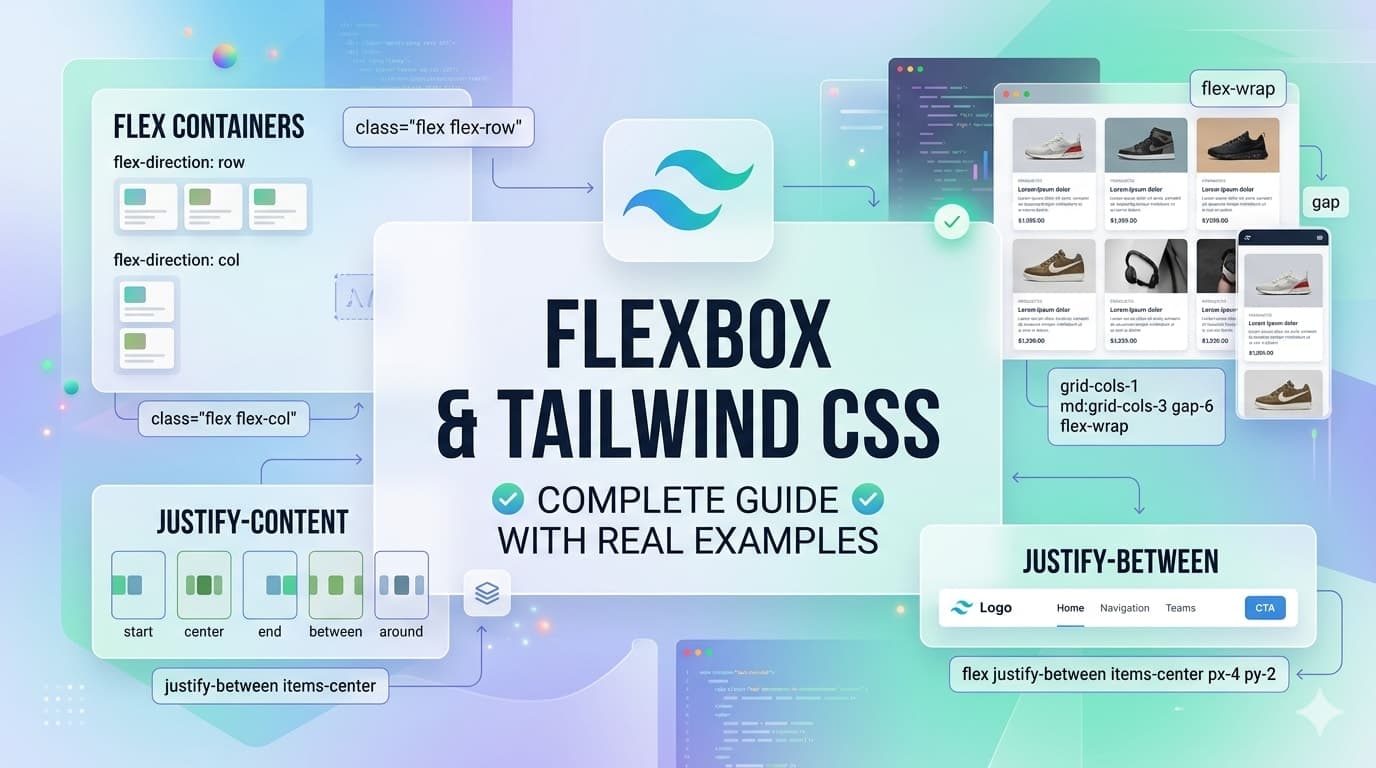
📦 Flexbox with Tailwind CSS (Real Examples)
In modern web development, layout is everything. Whether you're building dashboards, landing pages, or mobile apps — you need a reliable way to align and structure elements.
That’s where Flexbox in Tailwind CSS shines.
In this guide, you’ll learn:
How Flexbox works in Tailwind
Core utilities you’ll use daily
Real-world UI examples (not just theory)
Responsive Flexbox patterns
🚀 What is Flexbox in Tailwind?
Flexbox is a layout system that helps you:
Align items horizontally and vertically
Distribute space between elements
Build responsive layouts easily
In Tailwind, you don’t write CSS manually. Instead, you use utility classes like:
flex
justify-center
items-center
gap-4
🧠 1. Basic Flex Container
Let’s start simple.
Example: Horizontal Layout
<div class="flex gap-4 bg-gray-100 p-4">
  <div class="bg-blue-500 text-white p-4">Item 1</div>
  <div class="bg-green-500 text-white p-4">Item 2</div>
  <div class="bg-red-500 text-white p-4">Item 3</div>
</div>
👉 flex makes the container horizontal by default.
🎯 2. Aligning Items (Centering Like a Pro)
Example: Perfect Centering
<div class="flex justify-center items-center h-64 bg-gray-200">
  <div class="bg-indigo-500 text-white px-6 py-3">
    Centered Content
  </div>
</div>
Explanation:
justify-center→ horizontal centeritems-center→ vertical center
💡 This is one of the most used patterns in real projects.
📊 3. Space Between Items (Navbar Example)
Real Example: Navbar Layout
<nav class="flex justify-between items-center p-4 bg-gray-900 text-white">
  <div class="text-lg font-bold">Logo</div>
  <ul class="flex gap-6">
    <li>Home</li>
    <li>About</li>
    <li>Contact</li>
  </ul>
</nav>
Why this matters:
justify-betweenpushes items apartPerfect for headers and navigation bars
📱 4. Responsive Flexbox
Tailwind makes responsive design extremely easy.
Example: Column → Row Layout
<div class="flex flex-col md:flex-row gap-4">
  <div class="bg-blue-400 p-4 text-white">Box 1</div>
  <div class="bg-green-400 p-4 text-white">Box 2</div>
</div>
Behavior:
Mobile → stacked (
flex-col)Tablet/Desktop → horizontal (
md:flex-row)
🔥 This is used in almost every modern UI.
🧩 5. Equal Width Columns (Cards Layout)
Example: 3 Cards Grid using Flex
<div class="flex gap-4">
  <div class="flex-1 bg-white shadow p-4">Card 1</div>
  <div class="flex-1 bg-white shadow p-4">Card 2</div>
  <div class="flex-1 bg-white shadow p-4">Card 3</div>
</div>
Key Concept:
flex-1makes all items equal width
🔄 6. Wrapping Items (Real Product Layout)
Example: Product Listing
<div class="flex flex-wrap gap-4">
  <div class="w-48 bg-gray-100 p-4">Product 1</div>
  <div class="w-48 bg-gray-100 p-4">Product 2</div>
  <div class="w-48 bg-gray-100 p-4">Product 3</div>
  <div class="w-48 bg-gray-100 p-4">Product 4</div>
</div>
Why use this:
flex-wrapallows items to move to next rowPerfect for eCommerce layouts
📌 7. Align Self (Advanced Control)
Example:
<div class="flex h-40 bg-gray-200">
  <div class="self-start bg-blue-500 p-2 text-white">Top</div>
  <div class="self-center bg-green-500 p-2 text-white">Center</div>
  <div class="self-end bg-red-500 p-2 text-white">Bottom</div>
</div>
🧱 Real World UI Example: Pricing Section
<div class="flex flex-col md:flex-row gap-6 p-6">
  <div class="flex-1 bg-white shadow p-6 text-center">
    <h2 class="text-xl font-bold mb-2">Basic</h2>
    <p class="mb-4">$10/month</p>
    <button class="bg-blue-500 text-white px-4 py-2 rounded">
      Buy Now
    </button>
  </div>

  <div class="flex-1 bg-white shadow p-6 text-center">
    <h2 class="text-xl font-bold mb-2">Pro</h2>
    <p class="mb-4">$20/month</p>
    <button class="bg-green-500 text-white px-4 py-2 rounded">
      Buy Now
    </button>
  </div>
</div>
💡 Combines:
Flexbox
Responsive design
Real UI component
⚡ Pro Tips (From Real Experience)
✔ Use gap-* instead of margins
✔ Prefer Flexbox for 1D layouts (row/column)
✔ Use flex-1 for equal distribution
✔ Combine with md: and lg: for responsiveness
✔ Don’t overuse — sometimes Grid is better
🧪 Practice Challenge
Try building:
Navbar with logo + menu
3-column card layout
Responsive pricing section
Product grid with wrapping
🎯 Final Thoughts
Flexbox in Tailwind CSS is one of the most powerful tools you’ll use daily as a frontend developer.
Once you master:
flexalignment utilities
responsive variants
You’ll be able to build 90% of real-world layouts easily.
🔗 Previous Article
If you’re just getting started or want to strengthen your basics, check out the previous lesson:
👉 Part 6: Tailwind CSS Colors, Spacing & Typography (Complete Guide with Real Examples)
🚀 What’s Next
👉 Next Lesson: Part 8: Tailwind CSS Grid System Explained with Real-World Examples