Part 1
What Is Freelancing? A Complete Beginner's Guide to Starting Your Freelance Journey
Part 2
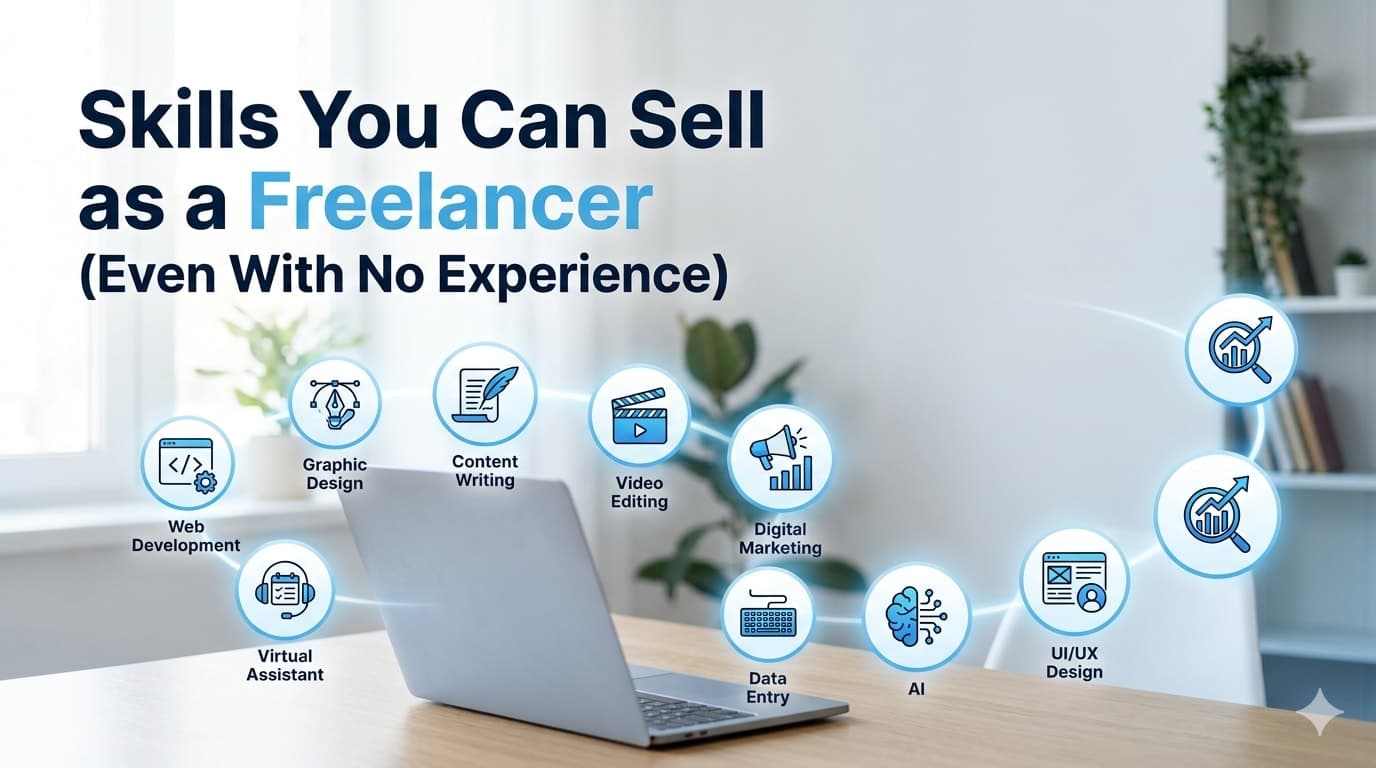
Skills You Can Sell as a Freelancer (Even With No Experience)
Part 3
How to Choose the Right Freelance Skill for You
Part 4
Best Freelancing Platforms for Beginners
Part 5
How to Create a Winning Fiverr Profile
Part 6
How to Create an Upwork Profile That Gets Approved
Part 7
How to Get Your First Freelance Client
Part 8
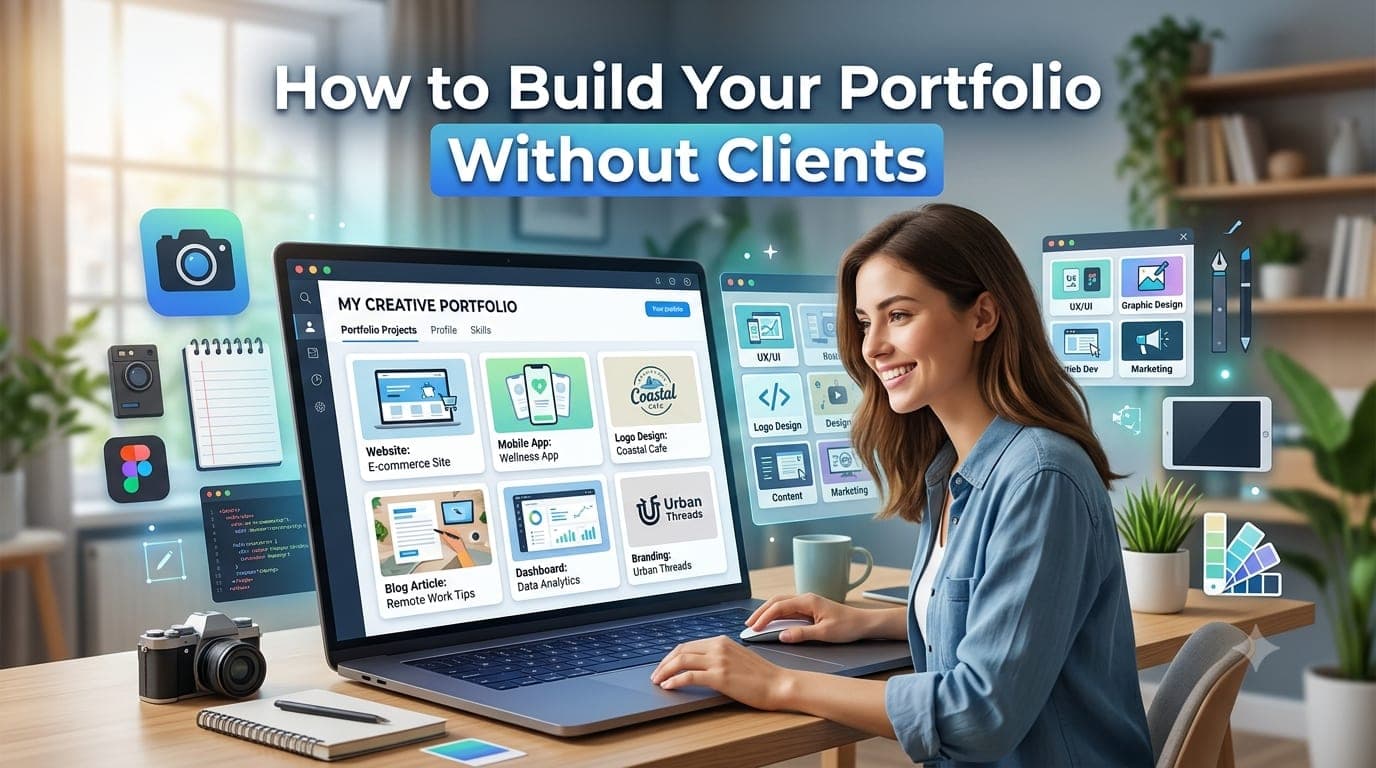
How to Build Your Portfolio Without Clients
Part 9
How Much Should Beginners Charge?
Part 10
Common Freelancing Mistakes Beginners Make
Welcome back to the Learn Freelancing for Beginners series!
So far, you've learned how freelancing works, how to choose the right skill, where to find freelance work, and how to create professional profiles on Fiverr and Upwork.
Now you may be asking yourself one of the most common questions every beginner faces:
"How can I build a portfolio if no one has hired me yet?"
It's a fair question.
Most freelance platforms encourage you to showcase previous work, but if you're just starting your career, you probably don't have client projects to display.
This creates what many beginners call the experience paradox:
Clients want to see your work before hiring you, but you need clients to create work.
The good news is that this isn't actually a problem.
Many successful freelancers landed their first clients without ever having worked with a paying customer.
Instead, they built portfolios using:
Personal projects
Practice work
Passion projects
Mock client projects
Open-source contributions
Case studies
Redesign concepts
Clients aren't only interested in whether someone paid you.
They're interested in whether you can solve their problem.
A well-crafted portfolio demonstrates your skills, creativity, attention to detail, and professionalism—even if every project was self-initiated.
In this guide, you'll learn how to create a portfolio from scratch, choose the right projects, present your work professionally, and avoid common mistakes that prevent beginners from impressing potential clients.
By the end of this article, you'll have a clear roadmap for building a portfolio that inspires confidence and helps you win your first freelance opportunities.
Let's get started.
Why Your Portfolio Matters
Your portfolio is often the first real proof of your skills.
Before hiring you, clients want answers to questions like:
Can this freelancer do the work?
Does their style match my project?
Do they pay attention to detail?
Can I trust them with my business?
A strong portfolio answers these questions before the client even contacts you.
Think of your portfolio as your visual résumé.
Instead of telling clients what you can do, it shows them.
This is why a great portfolio is often more valuable than a long list of certifications or years of experience.
Can You Build a Portfolio Without Clients?
Absolutely.
In fact, many experienced freelancers recommend that beginners create portfolio projects before applying for jobs.
Clients care more about the quality of your work than whether someone paid you to create it.
Imagine you're hiring a web developer.
Would you rather see:
A blank portfolio because they have "no clients"
or
Five professionally designed websites that demonstrate excellent skills?
The answer is obvious.
The same principle applies to graphic designers, writers, video editors, marketers, and almost every freelance profession.
A portfolio built from personal initiative shows that you're motivated, passionate, and serious about your craft.
Choose Projects That Match the Services You Want to Sell
One of the biggest mistakes beginners make is creating random projects that don't reflect the services they want to offer.
For example, if your goal is to become a React developer, your portfolio shouldn't be filled with logo designs or video editing projects.
Instead, every project in your portfolio should support your niche.
Ask yourself:
"If a client hired me today, what type of work would I want to do?"
Then create projects that demonstrate those exact skills.
For example:
Web developers should build websites and web applications.
Graphic designers should showcase branding and visual design projects.
Writers should publish articles, landing pages, or product descriptions.
Video editors should create polished video samples.
Digital marketers should present campaign strategies or SEO case studies.
Your portfolio should attract the type of clients you want—not every client.
Build Personal Projects
Personal projects are one of the best ways to build your portfolio.
Since you're in complete control, you can choose the topic, design, technology, and features.
This allows you to demonstrate your creativity while improving your skills.
For example, if you're a web developer, you could build:
A restaurant website
A travel booking landing page
A fitness website
A real estate website
A portfolio website
An online course platform
A weather application
A task management application
An expense tracker
An e-commerce store
Each project should solve a real-world problem.
Don't just build a login page because every tutorial does.
Instead, create projects that resemble what real businesses need.
Create Mock Client Projects
A mock client project is a fictional project created as if a real client hired you.
Imagine a local coffee shop wants a new website.
Pretend you're working with them.
Create:
A project brief
A homepage
Service pages
Contact page
Mobile-responsive layout
Brand colors
Logo placement
Then explain:
The client's goal
Your approach
Why you made specific design or development decisions
This demonstrates not only your technical skills but also your problem-solving process.
Redesign Existing Websites or Brands
Another excellent way to build a portfolio is by redesigning existing products.
Choose a website, mobile app, or brand that could benefit from improvements.
Examples include:
A local restaurant website
A charity website
A small business homepage
A mobile banking app
A weather application
A news website
Don't simply copy the original design.
Instead, identify problems and improve them.
For example:
Better navigation
Faster user flow
Modern typography
Improved accessibility
Mobile responsiveness
Cleaner layout
Better call-to-action buttons
In your portfolio, explain:
What problems you noticed
What improvements you made
Why your redesign offers a better user experience
This demonstrates critical thinking—something clients value highly.
Contribute to Open Source Projects
If you're a developer, contributing to open-source projects is one of the best ways to gain real-world experience.
Open-source contributions show that you can:
Read existing code
Collaborate with other developers
Fix bugs
Add new features
Follow coding standards
Work with version control systems like Git
Even small contributions can strengthen your portfolio.
Examples include:
Fixing UI bugs
Improving documentation
Updating styles
Optimizing performance
Adding accessibility improvements
When presenting these contributions, explain:
The problem
Your solution
The technologies used
The outcome
This gives clients confidence that you can work on production-level projects.
Create Case Studies Instead of Just Screenshots
One of the biggest differences between an average portfolio and an outstanding one is the use of case studies.
Many beginners simply upload screenshots.
Professional freelancers explain the story behind each project.
For every portfolio project, include:
Project Overview
What was the project about?
The Problem
What challenge needed to be solved?
Your Solution
How did you approach the project?
Why did you make certain design or development decisions?
Technologies Used
Examples:
React
Next.js
Shopify
WordPress
Tailwind CSS
Figma
Adobe Illustrator
Results
Explain the outcome.
Examples:
Improved user experience
Faster loading speed
Mobile responsiveness
Cleaner interface
Better navigation
SEO-friendly implementation
Even if the project wasn't for a real client, describing your thinking process demonstrates professionalism and maturity.
Document Your Process
Don't just show the finished result.
Show how you got there.
For example:
Initial sketches
Wireframes
Design concepts
Color palette selection
User flow diagrams
Development stages
Final implementation
Clients enjoy seeing your workflow because it gives them confidence that you have a structured approach to solving problems.
Host Your Work Online
Whenever possible, make your projects easy to access.
Depending on your field, you can use:
Developers
GitHub
GitHub Pages
Vercel
Netlify
Designers
Behance
Dribbble
Writers
Personal blog
Medium
Video Editors
YouTube
Vimeo
Having live examples allows clients to interact with your work instead of only viewing screenshots.
Keep Improving Your Portfolio
Your portfolio isn't something you build once and forget.
As your skills improve, your portfolio should evolve too.
Every few months:
Remove weaker projects.
Replace them with stronger ones.
Update screenshots.
Improve project descriptions.
Add new technologies.
Include recent work.
Your portfolio should always represent your current best work, not everything you've ever created.
Portfolio Ideas for Different Freelance Skills
Not sure what to include in your portfolio? Here are some practical ideas based on different freelance professions.
Remember, the goal isn't to create dozens of projects. Instead, focus on creating a few high-quality projects that demonstrate your skills and problem-solving ability.
Web Developers
If you're a web developer, your portfolio should demonstrate that you can build responsive, modern, and user-friendly websites.
Project ideas include:
Personal portfolio website
Business website for a local company
Restaurant website
E-commerce store
SaaS landing page
Real estate website
Travel booking website
Task management application
Weather application using APIs
Expense tracker
Blogging platform
Admin dashboard
Appointment booking system
For each project, explain:
The purpose of the project
Technologies used
Challenges you solved
Key features
Link to the live website
Link to the source code (if appropriate)
UI/UX Designers
Build design case studies for:
Mobile banking app
Food delivery application
Healthcare portal
Travel booking app
Online learning platform
E-commerce mobile app
CRM dashboard
Hotel booking website
Finance dashboard
Include:
User research
Wireframes
High-fidelity designs
Interactive prototypes
Design system
Final mockups
Clients want to understand your design thinking—not just see beautiful screens.
Graphic Designers
Create branding projects such as:
Logo design
Brand identity
Business cards
Product packaging
Social media graphics
Brochures
Flyers
Posters
Event banners
Presentation templates
Present your work using professional mockups to make it look realistic.
Content Writers
Write content for different industries, including:
Technology
Health
Travel
Finance
Education
Lifestyle
Portfolio examples may include:
SEO blog posts
Website copy
Landing pages
Product descriptions
Email newsletters
Technical documentation
Show that you can adapt your writing style for different audiences.
Video Editors
Create sample videos such as:
YouTube tutorials
Travel vlogs
Product advertisements
Corporate videos
Instagram Reels
TikTok Shorts
Motion graphics
Podcast clips
Include before-and-after examples if possible to demonstrate your editing skills.
Digital Marketers
Build portfolio projects like:
SEO audits
Keyword research reports
Content marketing strategies
Social media campaigns
Email marketing sequences
Google Ads mock campaigns
Analytics reports
Even if the campaigns are fictional, clearly explain your strategy and expected outcomes.
Quality Is More Important Than Quantity
Many beginners believe they need 20 or 30 projects before applying for freelance work.
In reality, clients rarely review every project.
Most will look at only a few examples before making a decision.
Instead of creating many average projects, focus on building 4 to 8 outstanding portfolio pieces that demonstrate:
Technical skills
Creativity
Problem-solving
Attention to detail
Professional presentation
A smaller, polished portfolio is often far more effective than a large collection of unfinished or low-quality work.
Common Portfolio Mistakes
Avoid these common mistakes that can weaken your portfolio.
Including Everything You've Ever Made
Not every project deserves a place in your portfolio.
Only showcase work that represents your current skill level.
If an older project no longer reflects your abilities, remove it.
Your portfolio should highlight your best work—not your entire learning journey.
Copying Tutorial Projects Without Adding Value
Following tutorials is an excellent way to learn.
However, publishing tutorial projects without any modifications doesn't demonstrate creativity.
Instead, improve them by:
Adding new features
Changing the design
Improving performance
Solving additional problems
Using different technologies
Show clients what you can build, not just what you can copy.
Poor Presentation
Even excellent work can appear unprofessional if it's presented poorly.
Make sure your portfolio includes:
High-quality screenshots
Clear descriptions
Consistent formatting
Easy navigation
Working links
Correct spelling and grammar
Presentation is often just as important as the work itself.
No Project Descriptions
A screenshot alone doesn't tell the full story.
Explain:
What the project does
Why you built it
Your role
Technologies used
Challenges solved
Results achieved
This helps clients understand your thought process and expertise.
Ignoring Mobile Responsiveness
Many clients will review your portfolio on their phones.
Ensure that your website or portfolio platform looks professional across all screen sizes.
A responsive portfolio reflects your attention to detail and professionalism.
Portfolio Building Checklist
Before publishing your portfolio, review this checklist.
✔ Includes only your best work
✔ Projects match the services you want to offer
✔ Every project has a clear description
✔ High-quality screenshots or visuals
✔ Live links included where possible
✔ Source code shared when appropriate
✔ Easy navigation
✔ Mobile-friendly design
✔ Professional grammar and spelling
✔ Contact information is easy to find
✔ Portfolio is updated regularly
If you can check off every item, you're well on your way to creating a portfolio that inspires confidence.
Key Takeaways
A strong portfolio is one of the most valuable assets in your freelancing journey.
Here are the key lessons from this guide:
You don't need paying clients to build an impressive portfolio.
Personal projects, mock client work, redesigns, and open-source contributions all demonstrate your abilities.
Create projects that align with the services you want to sell.
Explain your process through case studies instead of relying only on screenshots.
Host your work online whenever possible to make it easy for clients to review.
Focus on quality rather than quantity.
Continuously update your portfolio as your skills improve.
Your portfolio should answer one important question for every potential client:
"Can this freelancer solve my problem?"
If it does, you're already ahead of many beginners.
Frequently Asked Questions
Do I need real clients to build a portfolio?
No. Personal projects, mock client work, redesign concepts, open-source contributions, and case studies can all demonstrate your skills effectively.
How many projects should I include?
Aim for 4 to 8 high-quality projects. A smaller collection of excellent work is more effective than a large number of average projects.
Can tutorial projects be included?
Yes, but avoid publishing them exactly as they appear in the tutorial. Customize them with new features, improved designs, or additional functionality to make them your own.
Should I include unfinished projects?
Generally, no. Only showcase projects that are complete, polished, and representative of your current abilities.
Where should I host my portfolio?
It depends on your profession:
Developers: GitHub, GitHub Pages, Vercel, Netlify, or a personal website.
Designers: Behance or Dribbble.
Writers: A personal blog or Medium.
Video Editors: YouTube or Vimeo.
Choose a platform that's easy for clients to access.
Continue Learning
📘 Learn Freelancing for Beginners Series
✅ Part 1: What Is Freelancing? A Complete Beginner's Guide
✅ Part 2: Skills You Can Sell as a Freelancer (Even With No Experience)
✅ Part 3: How to Choose the Right Freelance Skill for You
✅ Part 4: Best Freelancing Platforms for Beginners
✅ Part 5: How to Create a Winning Fiverr Profile
✅ Part 6: How to Create an Upwork Profile That Gets Approved
➡️ Part 7: How to Get Your First Freelance Client
Final Thoughts
A lack of paying clients should never stop you from building a strong portfolio. Every experienced freelancer started somewhere, and many of them landed their first projects using self-created work rather than client projects.
Think of your portfolio as an investment in your future. Every project you create improves your skills, demonstrates your capabilities, and increases your confidence. Over time, these projects become the proof that helps clients trust you with real work.
Don't wait for someone to give you permission to showcase your talent. Create projects that solve real problems, present them professionally, and continue improving your portfolio as you grow.
Remember, clients hire freelancers who can demonstrate value—not just talk about it. A thoughtful, well-presented portfolio can open doors even before you've worked with your first paying client.
In the next part of this series, we'll explore practical strategies for finding and winning your first freelance client, turning your portfolio into real opportunities.
Need Help? Let's Connect!
Your freelancing journey doesn't have to be a solo one. Whether you're choosing your first freelance skill, building a portfolio, creating your Fiverr or Upwork profile, writing proposals, or trying to land your first client, we're here to help.
📩 Subscribe to Stay Updated
Don't miss the next article in our Learn Freelancing for Beginners series.
Subscribe to our blog and be the first to receive new articles, practical freelancing tips, and step-by-step guides delivered straight to your inbox. As the series grows, you'll have a complete roadmap to help you build a successful freelance career.
💬 Have a Question? We'd Love to Help
If you have any questions, need guidance, or get stuck at any stage of your freelancing journey, simply visit our Contact Us page and send us your query.
We personally read every message and do our best to respond to all genuine questions. Whether it's about Fiverr, Upwork, portfolios, proposals, choosing the right freelance skill, or growing your freelance business, we're happy to help.
🤝 Connect With Us on LinkedIn
Follow us on LinkedIn for regular freelancing tips, AI tools, web development insights, career advice, and updates whenever a new article in this series is published.
If you found this guide helpful, please share it with your friends, classmates, or anyone planning to start freelancing. It might be exactly what they need to take their first step toward a successful freelance career.