Part 1
What Is Freelancing? A Complete Beginner's Guide to Starting Your Freelance Journey
Part 2
Skills You Can Sell as a Freelancer (Even With No Experience)
Part 3
How to Choose the Right Freelance Skill for You
Part 4
Best Freelancing Platforms for Beginners
Part 5
How to Create a Winning Fiverr Profile
Part 6
How to Create an Upwork Profile That Gets Approved
Part 7
How to Get Your First Freelance Client
Part 8
How to Build Your Portfolio Without Clients
Part 9
How Much Should Beginners Charge?
Part 10
Common Freelancing Mistakes Beginners Make
Welcome back to the Learn Freelancing for Beginners series!
So far, we've covered the fundamentals of building a freelance career:
Now it's time to focus on another one of the world's largest freelancing platforms—Upwork.
Unlike Fiverr, where clients browse services (gigs) offered by freelancers, Upwork works differently. Businesses post projects, and freelancers submit proposals to compete for those opportunities. Because of this, your Upwork profile becomes one of the most important factors in convincing clients to invite you for interviews or consider your proposals.
Your profile isn't just an online résumé.
It's your personal brand.
It's your portfolio.
It's your sales page.
And often, it's the deciding factor between winning a project or being overlooked.
Many beginners make the mistake of rushing through the profile creation process. They upload a random photo, write a one-line bio, add dozens of unrelated skills, and wonder why their profile isn't approved or why clients never respond.
The good news is that you don't need years of experience to create a professional Upwork profile.
What you need is a profile that clearly communicates:
Who you are
What services you offer
What problems you solve
Why clients should trust you
What makes you different from other freelancers
Even if you're completely new to freelancing, following the right approach can significantly improve your chances of profile approval and help you attract your first clients.
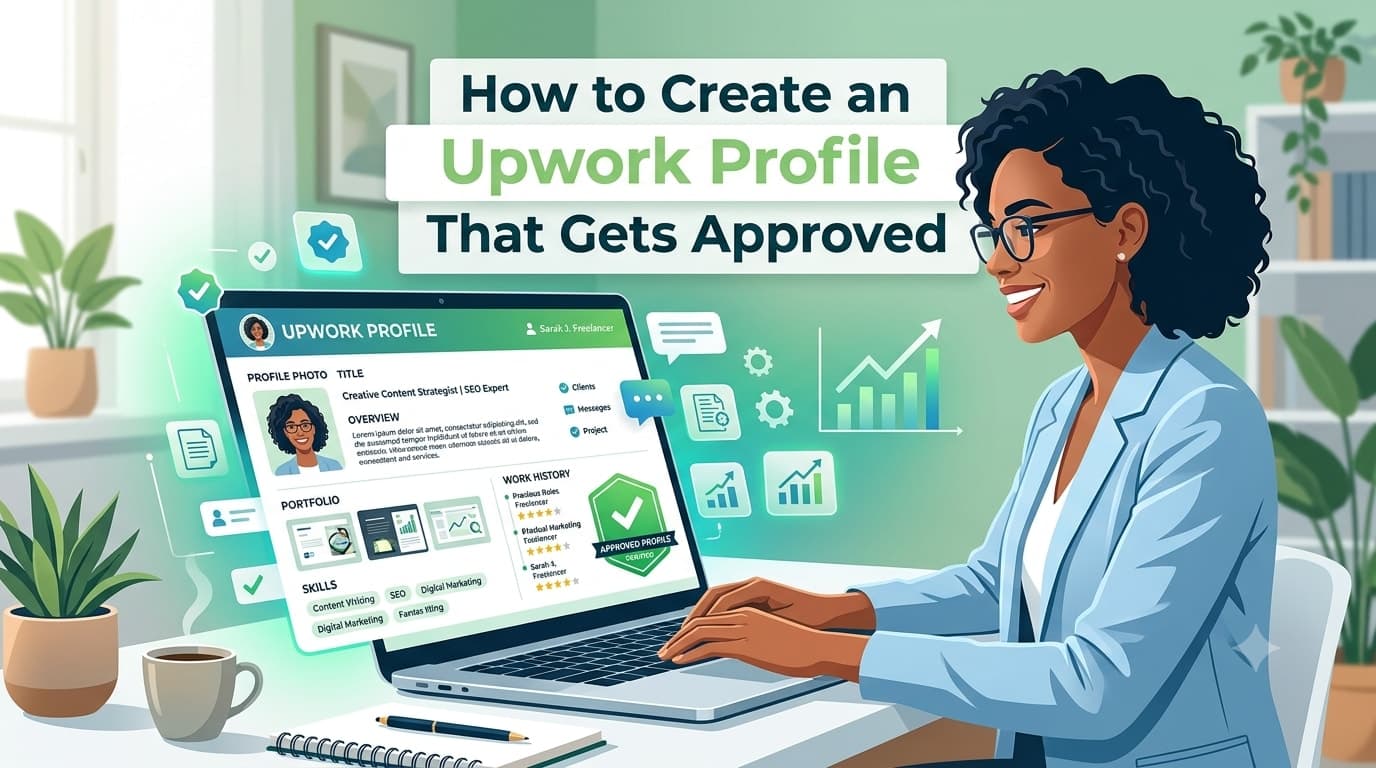
In this comprehensive guide, you'll learn how to optimize every important section of your Upwork profile—from choosing a professional photo and writing a compelling headline to creating an engaging overview, showcasing your portfolio, selecting the right skills, and avoiding common mistakes that hold beginners back.
By the end of this article, you'll have a complete checklist for building an Upwork profile that looks professional, inspires confidence, and positions you for long-term success.
Let's get started.
Why Your Upwork Profile Matters
Imagine you're a business owner looking to hire a freelancer.
You search for "React Developer."
Hundreds of profiles appear.
Most have similar skills.
How do you decide whom to contact?
The answer is simple—you compare their profiles.
Clients evaluate much more than technical skills. They look for professionalism, credibility, communication, and confidence.
A well-optimized profile immediately creates a positive impression and increases the likelihood of being invited to projects.
On the other hand, an incomplete or poorly written profile may cause clients to move on without ever reading your proposal.
Your profile should answer the questions every client has:
Can this freelancer solve my problem?
Do they understand my requirements?
Can I trust them?
Will they communicate effectively?
Are they worth my investment?
A strong profile answers those questions before the client even sends the first message.
How Upwork Clients Choose Freelancers
Many beginners believe that clients always hire the cheapest freelancer.
In reality, experienced clients look for value—not just low prices.
When reviewing profiles, they often evaluate:
A professional profile photo
A clear and specific title
A compelling overview
Relevant skills
Portfolio quality
Employment history
Education and certifications
Communication ability
Profile completeness
Even without client reviews, a polished profile can help you stand out from other new freelancers.
Your objective is to make it easy for clients to understand exactly what you do and why you're the right person for their project.
Create Your Upwork Account
The first step is creating your Upwork freelancer account.
Visit the Upwork website and sign up using your email address, Google account, or Apple account.
During registration, you'll be asked about:
Your country
Your name
Your work experience
Your primary service category
Your skills
Unlike some freelance platforms, Upwork carefully reviews new freelancer profiles before approving them.
This means you should complete every section thoughtfully instead of rushing through the process.
Treat your profile like a job application rather than a social media profile.
The more complete and professional it looks, the better your chances of getting approved.
Complete Your Personal Information
Your personal information forms the foundation of your profile.
Always use accurate information.
This includes:
Your real name
Current location
Professional profile photo
Time zone
Languages you speak
Avoid using fake names or incorrect locations.
Clients appreciate transparency, and Upwork may request identity verification in the future.
Having accurate information also helps clients understand whether your working hours align with their schedule.
Choose a Professional Profile Photo
Your profile photo is one of the first things clients notice.
A professional photo immediately makes your profile look more trustworthy.
A Good Profile Photo Should Be:
High resolution
Well-lit
Clear and sharp
Looking directly at the camera
Smiling naturally
Wearing neat clothing
Taken against a simple background
Remember, clients hire people they trust.
A professional photo helps build that trust before you've even spoken with them.
Avoid These Profile Photos
Don't use:
Logos
Company banners
AI-generated avatars
Cartoons
Anime characters
Group photos
Vacation pictures
Cropped selfies
Photos with sunglasses
Blurry images
A real, friendly face creates a much stronger first impression.
Write a Client-Focused Professional Title
Your title is one of the most important parts of your profile.
Many beginners simply write:
Freelancer
Software Engineer
Student
These titles don't tell clients how you can help them.
Instead, write a title that clearly communicates your expertise.
Examples include:
React & Next.js Front-End Developer
Shopify Store Developer
WordPress Website Designer
SEO Content Writer
UI/UX Designer for SaaS Products
YouTube Video Editor
Graphic Designer for Branding & Social Media
Virtual Assistant for Administrative Support
A good title immediately answers:
"What service do you provide?"
Clients should understand your specialization within seconds.
Craft an Upwork Overview That Gets Attention
Your overview is your opportunity to convince clients that you're the right freelancer for their project.
Many beginners make the mistake of talking only about themselves.
For example:
I am hardworking.
I am honest.
I am passionate.
These qualities are important, but clients care more about the value you bring.
Your overview should focus on solving the client's problems.
A Simple Structure for Writing Your Overview
A well-written overview usually includes four parts.
1. Introduce Yourself
Briefly explain who you are and what you specialize in.
Example:
Hi! I'm a Front-End Developer specializing in React, Next.js, Shopify, and responsive web development.
Keep this short and professional.
2. Explain How You Help Clients
Talk about the outcomes you deliver.
For example:
Responsive websites
Faster page performance
Pixel-perfect implementation
Better user experience
Mobile-friendly designs
SEO-friendly development
Clients don't just buy code.
They buy solutions.
3. Highlight Your Expertise
Mention the tools and technologies you work with.
Examples:
HTML
CSS
JavaScript
TypeScript
React
Next.js
Shopify
Tailwind CSS
WordPress
Only include technologies you're comfortable using professionally.
4. End with a Call to Action
Finish with a friendly invitation.
For example:
If you're looking for a reliable developer who values communication, quality, and timely delivery, I'd love to discuss your project.
This encourages clients to contact you.
Example Upwork Overview
Here's an example for a front-end developer:
Hello! I'm a Front-End Developer passionate about creating fast, responsive, and user-friendly websites using React, Next.js, Shopify, HTML, CSS, JavaScript, and TypeScript.
I help businesses transform designs into modern websites that perform beautifully across desktops, tablets, and mobile devices. Whether you need a landing page, Shopify customization, bug fixes, or a complete front-end solution, my goal is to deliver clean, maintainable code and an excellent user experience.
I believe in clear communication, meeting deadlines, and building long-term relationships with my clients.
If you're looking for someone who genuinely cares about your project's success, I'd be happy to discuss your requirements.
Notice that this overview is:
Professional
Client-focused
Easy to read
Specific
Friendly
Confident without exaggeration
Choose the Right Skills
Upwork allows you to add skills that help clients find your profile through search.
Choose skills that directly relate to the services you plan to offer.
For example, if you're a React developer, relevant skills might include:
React
Next.js
JavaScript
TypeScript
HTML5
CSS3
Tailwind CSS
Responsive Design
Shopify
Git
Don't add unrelated skills simply because they're popular.
For example, if you're a developer, avoid adding:
Graphic Design
Video Editing
Accounting
Translation
unless you genuinely provide those services.
A focused profile appears much more credible than one claiming expertise in everything.
Select Your Primary Specialty
One mistake many beginners make is trying to appeal to everyone.
Instead of offering ten unrelated services, choose one clear specialization.
For example:
Instead of saying:
I can build websites, design logos, edit videos, write content, and manage social media.
Say:
I specialize in building responsive React and Next.js websites for startups and small businesses.
Specialists are generally perceived as more knowledgeable and trustworthy.
You can always expand your services later as your freelance business grows.
Add Your Employment History
One section that many beginners either skip or misunderstand is Employment History.
A common misconception is that you must have worked for a famous company before joining Upwork.
That's not true.
The purpose of this section is to show clients that you've gained relevant experience—even if it wasn't through freelancing.
If you've worked as:
A full-time employee
A part-time developer
An intern
A contractor
A volunteer
A business owner
You can include that experience if it's relevant to the services you're offering.
For each role, briefly mention:
Your job title
Company name
Employment period
Key responsibilities
Technologies or tools used
Major achievements (if applicable)
Keep your descriptions concise and focused on client value.
What If You Have No Professional Experience?
Don't worry.
Many successful Upwork freelancers started without a traditional job.
If you're a beginner, you can strengthen your profile by showcasing:
Personal projects
University projects
Open-source contributions
Practice websites
Design concepts
Case studies
Volunteer work
The goal is to demonstrate your ability—not simply list companies you've worked for.
Add Your Education
Education is another way to build credibility.
If you have a university degree, diploma, or relevant qualification, include it.
Examples include:
Computer Science
Information Technology
Software Engineering
Graphic Design
Marketing
Business Administration
Don't worry if your degree isn't directly related to freelancing.
Many clients value practical skills more than formal education.
Add Relevant Certifications
Certifications help demonstrate your commitment to continuous learning.
Some valuable certifications include:
Google Professional Certificates
Meta Professional Certificates
AWS Certifications
Microsoft Certifications
Adobe Certifications
HubSpot Certifications
Cisco Certifications
Coursera Certificates
Udemy Course Certificates (for learning purposes)
Only include certifications you've genuinely completed.
Avoid exaggerating your qualifications.
Honesty builds long-term trust.
Build a Portfolio That Sells Your Skills
Your portfolio is one of the strongest sections of your Upwork profile.
Think of it as visual proof of your abilities.
Clients often decide whether to contact you after reviewing your portfolio.
Even if you're new, you can build an impressive portfolio by creating your own projects.
If You're a Web Developer
Show examples such as:
Landing pages
Business websites
Portfolio websites
E-commerce stores
React applications
Next.js projects
Shopify customizations
Whenever possible, include:
Screenshots
Live website links
GitHub repository links
Short project descriptions
Explain:
The project's objective
Technologies used
Challenges solved
Your contribution
If You're a Graphic Designer
Include projects like:
Logo designs
Brand identity systems
Business cards
Social media graphics
Packaging
Brochures
Posters
Present your work using clean mockups instead of plain image files.
Professional presentation makes a huge difference.
If You're a UI/UX Designer
Your portfolio might include:
Mobile applications
Website interfaces
SaaS dashboards
Wireframes
User flows
Interactive prototypes
Briefly explain your design decisions and the problems you solved.
If You're a Writer
Include:
Blog articles
SEO content
Product descriptions
Website copy
Email campaigns
Technical documentation
Show variety while staying focused on your chosen niche.
If You're a Video Editor
Upload examples of:
YouTube videos
Short-form content
Promotional videos
Corporate edits
Motion graphics
Social media reels
Clients want to see your editing style before they hire you.
Focus on Quality, Not Quantity
One excellent portfolio project is worth more than ten average ones.
Before adding a project, ask yourself:
Does this represent my current skill level?
Would I proudly show this to a client?
Is the presentation professional?
Does it solve a real problem?
If the answer is yes, it's likely a strong addition.
Set the Right Hourly Rate
One of the biggest questions beginners ask is:
"What hourly rate should I charge?"
There's no universal answer.
Your rate depends on:
Your experience
Skill level
Portfolio
Market demand
Competition
Confidence
Don't Undervalue Yourself
Many beginners think charging the lowest possible price will attract more clients.
Unfortunately, extremely low prices can have the opposite effect.
Some clients associate very low rates with poor quality.
Instead, choose a fair starting rate that reflects your current experience.
As you gain:
Reviews
Repeat clients
Better projects
You can gradually increase your rates.
Research Your Competition
Search for freelancers offering similar services.
Look at profiles with:
Similar experience
Similar portfolios
Similar locations
Study how they position themselves.
This research helps you understand the market without copying anyone else's strategy.
Complete Every Additional Profile Section
Upwork provides several optional profile sections.
Complete as many relevant sections as possible.
These may include:
Languages
Availability
Location
Work preferences
Employment history
Education
Certifications
Portfolio
Specialized profiles
A complete profile sends a positive signal to both clients and the platform.
Create Specialized Profiles (When Appropriate)
As your freelance career grows, Upwork allows you to create specialized profiles.
For example:
A web developer might create separate profiles for:
React Development
Shopify Development
WordPress Development
Each profile can have:
Different titles
Different overviews
Different portfolios
This helps you target specific types of clients more effectively.
If you're just starting out, focus on building one strong general profile first.
Specialized profiles become more useful as you gain experience.
Tips to Improve Your Profile Approval Chances
Many beginners worry about getting their Upwork profile approved.
While Upwork doesn't publicly share its exact approval criteria, there are several best practices that can improve your chances.
Choose One Clear Service
Don't try to offer every freelance service.
A focused profile is much stronger than a general one.
Complete Every Section
Incomplete profiles are less convincing.
Take the time to fill in every relevant section with accurate and professional information.
Write a Unique Overview
Avoid copying profile descriptions from other freelancers.
Clients—and the platform—value originality.
Write in your own words and focus on the value you provide.
Upload a Professional Photo
A clear, friendly headshot makes your profile look more trustworthy and professional.
Showcase Strong Portfolio Projects
Even if they're personal projects, well-presented portfolio samples demonstrate your skills far better than an empty profile.
Keep Your Skills Consistent
Your title, overview, portfolio, and listed skills should all support the same specialization.
Consistency helps clients understand exactly what you offer.
Common Upwork Profile Mistakes to Avoid
Creating an Upwork profile is straightforward, but many beginners make mistakes that reduce their chances of getting approved or attracting clients.
Let's look at the most common ones and how you can avoid them.
Choosing a Generic Profile Title
Your title is one of the first things clients notice.
Titles like:
Freelancer
Developer
Designer
Student
don't tell clients what you actually do.
Instead, be specific.
For example:
React & Next.js Front-End Developer
Shopify Store Developer
SEO Content Writer
UI/UX Designer for SaaS Applications
A clear title immediately communicates your expertise.
Writing an Overview About Yourself Instead of the Client
Many beginners write paragraphs describing themselves.
For example:
I'm passionate.
I'm hardworking.
I enjoy coding.
While these qualities are positive, clients are asking a different question:
"How can you help me?"
Your overview should focus on:
Problems you solve
Services you provide
Results clients can expect
Why you're reliable
Shift the focus from yourself to your client.
Adding Too Many Unrelated Skills
Some beginners believe adding dozens of skills will attract more clients.
Instead, it often creates confusion.
If your profile includes:
React
Graphic Design
Video Editing
Accounting
Translation
Digital Marketing
Architecture
clients won't know what your real expertise is.
Choose skills that support one clear service.
Focused profiles are much easier to understand and trust.
Using AI Without Personalizing Your Profile
AI tools can help you write better content, but don't copy and paste generic text.
Many AI-generated profiles sound identical.
Instead:
Write naturally.
Include your own experience.
Mention your preferred technologies.
Describe the type of clients you enjoy working with.
Your personality is part of your professional brand.
Uploading Weak Portfolio Projects
A portfolio filled with unfinished practice projects or poor-quality screenshots can hurt your credibility.
Before adding any project, ask yourself:
Would I confidently present this to a paying client?
Does it represent my best work?
Is it well explained?
If not, improve it first.
Remember:
Quality always beats quantity.
Ignoring Grammar and Formatting
Even highly skilled freelancers lose opportunities because of poor writing.
Before publishing your profile:
Read everything aloud.
Correct spelling mistakes.
Keep sentences short.
Use proper punctuation.
Avoid unnecessary jargon.
A polished profile demonstrates professionalism and attention to detail.
Copying Other Freelancers
It's perfectly fine to study successful Upwork profiles.
It's not okay to copy them.
Clients appreciate authenticity.
Your profile should reflect:
Your experience
Your strengths
Your personality
Your communication style
Use other profiles for inspiration—not duplication.
Setting Unrealistic Expectations
Don't claim things like:
"100% client satisfaction guaranteed."
"World-class expert."
"Best developer on Upwork."
unless you genuinely have the evidence to support those statements.
Instead, let your portfolio, communication, and professionalism speak for themselves.
Honesty builds stronger client relationships than exaggerated promises.
Upwork Profile Optimization Checklist
Before submitting your profile for review, go through this checklist.
✔ Professional profile photo
✔ Clear professional title
✔ Client-focused overview
✔ Relevant skills added
✔ Employment history completed
✔ Education included
✔ Certifications added
✔ Portfolio uploaded
✔ Appropriate hourly rate
✔ Languages updated
✔ Availability completed
✔ Consistent niche throughout the profile
✔ Grammar and spelling reviewed
✔ Honest information provided
If you've completed every item on this checklist, your profile will already stand out from many beginner profiles.
Key Takeaways
Creating an Upwork profile is about much more than filling in a few fields.
It's about building trust and demonstrating that you're ready to solve real business problems.
Here are the most important lessons from this guide:
Your profile is your personal brand on Upwork.
Choose a clear specialization instead of offering every possible service.
Use a professional profile photo that builds trust.
Write a title that clearly explains what you do.
Create an overview that focuses on client needs rather than personal achievements.
Showcase your best portfolio projects—even if they're self-initiated.
Complete every profile section to improve credibility.
Set a reasonable hourly rate based on your current skills and experience.
Keep your profile consistent, honest, and up to date.
Remember that your profile is a living document. Continue improving it as your freelance career grows.
Frequently Asked Questions
Do I need professional experience to create an Upwork profile?
No. Many successful freelancers began without professional work experience. Personal projects, academic work, volunteer projects, and a strong portfolio can effectively demonstrate your abilities.
Can I apply to Upwork without a portfolio?
Yes, but having a portfolio significantly improves your profile and gives clients confidence in your skills. Even self-created projects can make a positive impression.
What should I write if I'm a beginner?
Focus on:
Your specialization
The problems you solve
Your technical skills
Your commitment to quality
Your willingness to communicate clearly and deliver on time
Avoid apologizing for being new.
Present yourself confidently and professionally.
Should I charge a low hourly rate to get clients?
Not necessarily.
Charging extremely low rates can sometimes reduce client confidence.
Research your market, start with a reasonable rate, and gradually increase it as you gain reviews and experience.
Can I update my Upwork profile later?
Absolutely.
You should update your profile whenever you:
Learn a new skill
Complete a major project
Earn a certification
Improve your portfolio
Change your specialization
Your profile should grow alongside your career.
How long does Upwork take to review a new profile?
Review times can vary depending on demand and the completeness of your profile. Make sure all required information is accurate and complete before submitting it for review.
What if my profile isn't approved?
Don't get discouraged.
Review the feedback provided, improve your profile, strengthen your specialization, enhance your portfolio, and submit again if you're eligible. Many successful freelancers weren't approved on their first attempt.
Continue Learning
📘 Learn Freelancing for Beginners Series
✅ Part 1: What Is Freelancing? A Complete Beginner's Guide
✅ Part 2: Skills You Can Sell as a Freelancer (Even With No Experience)
✅ Part 3: How to Choose the Right Freelance Skill for You
✅ Part 4: Best Freelancing Platforms for Beginners
✅ Part 5: How to Create a Winning Fiverr Profile
✅ Part 6: How to Create an Upwork Profile That Gets Approved (Current Article)
Final Thoughts
Your Upwork profile is often the first impression you make on potential clients, and in many cases, it determines whether they decide to learn more about you or move on to another freelancer.
The good news is that you don't need years of experience or hundreds of completed projects to build a strong profile. What you need is clarity, professionalism, and a genuine focus on helping clients solve their problems.
Take the time to complete every section thoughtfully. Choose a clear specialization, write an overview that speaks directly to your ideal client, showcase your strongest work, and keep your profile updated as your skills and experience grow.
Most importantly, don't wait for your profile to be "perfect." Publish it, continue learning, improve your portfolio, and refine your profile as you gain real-world experience. Every successful Upwork freelancer started with a single profile and their first application.
In the next part of this series, we'll explore how to write Upwork proposals that capture a client's attention, build trust, and dramatically improve your chances of getting interviews and winning projects.
Need Help? Let's Connect!
Building your Upwork profile is just the beginning of your freelancing journey. If you have questions about profile optimization, choosing the right niche, improving your portfolio, writing proposals, or growing your freelance career, we're here to help.
Connect with us on LinkedIn, where we regularly share practical freelancing tips, Upwork strategies, Fiverr guides, AI tools, web development insights, and career advice to help beginners succeed.
Feel free to reach out—we'd love to hear about your freelancing journey and help you move one step closer to landing your first client.
If you found this guide helpful, consider sharing it with friends, classmates, or anyone planning to start freelancing. It could help them create a stronger profile and begin their freelance career with confidence.