Part 1
What Is Freelancing? A Complete Beginner's Guide to Starting Your Freelance Journey
Part 2
Skills You Can Sell as a Freelancer (Even With No Experience)
Part 3
How to Choose the Right Freelance Skill for You
Part 4
Best Freelancing Platforms for Beginners
Part 5
How to Create a Winning Fiverr Profile
Part 6
How to Create an Upwork Profile That Gets Approved
Part 7
How to Get Your First Freelance Client
Part 8
How to Build Your Portfolio Without Clients
Part 9
How Much Should Beginners Charge?
Part 10
Common Freelancing Mistakes Beginners Make
Part 11
How to Communicate With Clients Professionally
Part 12
How to Avoid Freelancing Scams
Part 13
How to Get Repeat Clients
Part 14
How to Scale From Freelancer to Agency
Part 15
Passive Income Ideas for Freelancers
Part 16
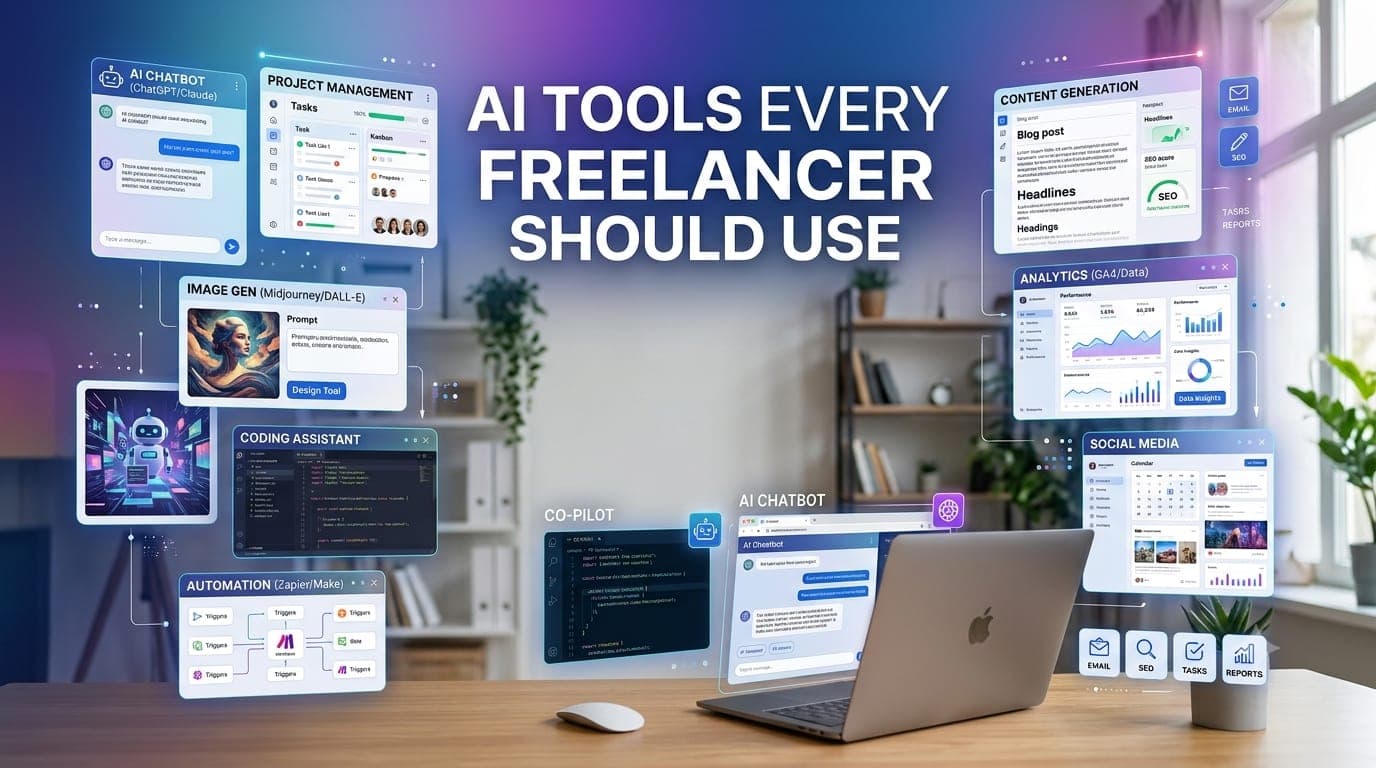
AI Tools Every Freelancer Should Use
Welcome back to the Learn Freelancing for Beginners series!
Freelancing has always been about delivering high-quality work while managing your time effectively. Today, artificial intelligence (AI) is helping freelancers achieve both.
From writing proposals and creating content to designing graphics, generating code, editing images, and managing projects, AI tools have become valuable assistants rather than replacements. They help freelancers work more efficiently, reduce repetitive tasks, and spend more time on creative and strategic work.
Whether you're a writer, designer, developer, marketer, video editor, or virtual assistant, there are AI tools that can improve your workflow and increase your productivity.
However, using AI effectively doesn't mean relying on it to do all your work. The best freelancers use AI to speed up repetitive tasks, generate ideas, improve quality, and automate routine activities while still applying their own expertise, creativity, and critical thinking.
In this guide, we'll explore some of the most useful AI tools for freelancers, explain how each one can help, discuss best practices for using AI responsibly, and show you how to integrate these tools into your daily workflow.
You'll also discover related resources on MoodShareNow where we take a deeper look at AI tools for productivity and software development.
Let's get started.
Why Freelancers Should Use AI
Artificial intelligence isn't here to replace skilled freelancers.
Instead, it's helping professionals complete routine tasks faster so they can focus on delivering greater value to clients.
AI can help you:
Write proposals more quickly.
Brainstorm ideas.
Generate content drafts.
Improve grammar and writing.
Create images and presentations.
Assist with coding.
Automate repetitive tasks.
Summarize meetings.
Organize research.
Improve productivity.
By incorporating AI into your workflow, you can save time, increase efficiency, and often deliver projects faster without compromising quality.
Related Reading: If you're looking for AI tools to boost your daily productivity, check out our article "5 Best AI Tools for Productivity (Beginner Friendly)". It covers practical tools that can help freelancers stay organized, automate routine tasks, and work more efficiently. This is a great resource to complement the AI workflow discussed in this guide.
Best AI Tools for Freelancers
AI tools come in many forms. Some help you write better, while others generate images, write code, automate repetitive tasks, or improve project management.
The goal isn't to use every AI tool available—it's to choose the ones that solve real problems in your workflow.
Let's explore some of the most useful AI tools every freelancer should consider.
ChatGPT – Your Everyday AI Assistant
ChatGPT has become one of the most popular AI tools for freelancers.
It can help with a wide variety of tasks, including:
Writing project proposals
Brainstorming ideas
Drafting emails
Creating content outlines
Explaining technical concepts
Writing documentation
Creating client questionnaires
Summarizing long documents
Learning new skills
Instead of staring at a blank page, many freelancers now use ChatGPT to create a first draft and then refine it using their own expertise.
Best for:
Writers
Developers
Designers
Marketers
Virtual Assistants
Consultants
Google Gemini
Google Gemini is another powerful AI assistant that integrates well with Google's ecosystem.
It can help freelancers:
Generate ideas
Research topics
Summarize information
Create presentations
Draft emails
Organize documents
If your workflow already relies heavily on Google Workspace, Gemini can become a valuable productivity companion.
Claude
Claude is particularly good at handling long documents and thoughtful conversations.
Many freelancers use Claude for:
Reviewing contracts
Improving writing
Analyzing lengthy reports
Brainstorming business ideas
Summarizing research
Its ability to process large amounts of text makes it useful for content creators and consultants.
Grammarly
Even experienced professionals make writing mistakes.
Grammarly helps improve:
Grammar
Spelling
Tone
Clarity
Professional communication
Whether you're writing proposals, emails, blog posts, or client reports, clear communication creates a better impression.
This tool is especially valuable for freelancers who communicate with international clients.
Canva AI
Creating professional visuals no longer requires advanced graphic design skills.
Canva's AI features help users:
Generate presentations
Create social media graphics
Remove image backgrounds
Generate marketing visuals
Create branded content
It's particularly useful for freelancers who regularly produce content for clients.
Notion AI
If you manage multiple clients and projects, staying organized is essential.
Notion AI helps with:
Meeting notes
Project planning
Task organization
Documentation
Brainstorming
Content drafting
Keeping everything in one workspace makes project management much easier.
Perplexity AI
Research can consume a significant amount of time.
Perplexity AI helps freelancers quickly find information while providing references to its sources.
It can be useful for:
Market research
Technical learning
Content creation
Competitive analysis
Business research
Always verify important information before using it in client projects.
GitHub Copilot
For software developers, GitHub Copilot can significantly speed up coding.
It assists with:
Code completion
Function generation
Documentation
Unit tests
Learning new frameworks
Refactoring existing code
It doesn't replace software engineering knowledge, but it can eliminate repetitive coding tasks.
Related Reading: If you're a developer, don't miss our article "15 Best AI Coding Tools for Developers." It compares today's most useful AI coding assistants, helping you choose the right tools for web development, software engineering, debugging, and code generation.
Cursor AI
Cursor is becoming increasingly popular among developers because it's designed specifically for AI-assisted programming.
It can help you:
Navigate large codebases
Explain unfamiliar code
Generate functions
Refactor existing code
Debug issues
Build features faster
Many developers now combine Cursor with GitHub Copilot for an even more productive workflow.
Adobe Firefly
Creative professionals can use Adobe Firefly to generate and edit visual content using AI.
It supports tasks such as:
Image generation
Background replacement
Text effects
Object removal
Creative concept generation
It's especially useful for designers and marketers working with Adobe Creative Cloud.
Zapier AI
Freelancers often spend time on repetitive administrative tasks.
Zapier helps automate workflows between different applications.
Examples include:
Automatically saving email attachments.
Creating tasks from forms.
Sending notifications.
Updating spreadsheets.
Connecting CRM tools.
Managing client workflows.
Automation allows freelancers to spend more time on billable work instead of repetitive administration.
Otter.ai
Meetings often contain valuable information that's easy to forget.
Otter.ai automatically records and summarizes conversations, making it useful for:
Client meetings
Discovery calls
Interviews
Team discussions
Instead of manually taking notes, you can focus on the conversation while the AI captures key points.
AI Image Generation Tools
Freelancers working in marketing, blogging, or content creation can benefit from AI image generation.
Popular options include:
Midjourney
Adobe Firefly
ChatGPT Image Generation
Google Gemini Image Generation
These tools can help create:
Blog featured images
Social media graphics
Marketing illustrations
Concept art
Presentation visuals
Always review generated images carefully and ensure you comply with each platform's licensing and usage terms before using them commercially.
AI Tools for Different Freelance Roles
Different freelancers have different needs. Instead of installing every AI tool available, focus on the ones that best support your work.
Writers
Useful AI tools include:
ChatGPT
Claude
Grammarly
Perplexity AI
These tools can help with brainstorming, drafting, editing, and research while still leaving the final creative decisions to you.
Designers
Popular choices include:
Canva AI
Adobe Firefly
Midjourney
They can speed up idea generation, mockups, image editing, and content creation.
Developers
Developers often benefit from:
GitHub Copilot
Cursor
ChatGPT
Claude
Combined with strong programming knowledge, these tools can improve productivity and reduce repetitive coding tasks.
Digital Marketers
Helpful tools include:
ChatGPT
Canva AI
Grammarly
Perplexity AI
Zapier
These can support content creation, campaign planning, research, and workflow automation.
Virtual Assistants
Virtual assistants may find value in:
ChatGPT
Notion AI
Zapier
Otter.ai
These tools simplify scheduling, documentation, communication, and administrative work.
Related Reading: If you're just starting your AI journey, we recommend reading our guide "5 Best AI Tools for Productivity (Beginner Friendly)." It introduces easy-to-use AI tools that can help freelancers save time and become more productive from day one.
Best Practices for Using AI as a Freelancer
AI is a powerful assistant, but it's still just a tool.
The most successful freelancers use AI to improve their productivity—not to replace their expertise, creativity, or professional judgment.
Here are some best practices to help you get the most value from AI.
Use AI to Assist, Not Replace, Your Skills
AI can generate ideas, draft content, write code, and summarize information.
However, clients hire you, not the AI.
Use AI to:
Speed up repetitive tasks.
Generate first drafts.
Brainstorm ideas.
Automate routine work.
Then apply your own experience to review, improve, and personalize the final result.
Your knowledge and decision-making are what create real value.
Always Review AI-Generated Content
AI can make mistakes.
It may:
Generate incorrect information.
Misunderstand your prompt.
Write outdated code.
Produce inaccurate facts.
Misinterpret client requirements.
Before delivering any work:
Verify facts.
Test generated code.
Proofread written content.
Check calculations.
Ensure everything aligns with the client's expectations.
Never submit AI-generated work without reviewing it carefully.
Protect Client Confidentiality
Many AI tools process information on external servers.
Avoid sharing sensitive client information such as:
Passwords
API keys
Financial data
Confidential business documents
Private customer information
Proprietary source code without permission
If you're unsure about a client's privacy requirements, ask for permission before using AI with their project data.
Respecting confidentiality helps build trust and protects your professional reputation.
Learn Prompt Writing
The quality of AI responses depends heavily on the quality of your prompts.
Instead of asking:
"Write a proposal."
Try something more specific:
"Write a professional Upwork proposal for a React developer with five years of experience building responsive web applications. Keep it under 200 words and focus on solving the client's problem."
The more context you provide, the better the results.
Learning prompt writing is becoming an increasingly valuable skill for freelancers across every industry.
Keep Learning
AI tools evolve rapidly.
New features, models, and workflows are released regularly.
Make time to:
Explore new AI tools.
Read product updates.
Watch tutorials.
Experiment with new workflows.
Join AI communities.
Continuous learning helps you stay competitive and discover new ways to improve your work.
Common Mistakes Freelancers Make With AI
While AI offers many advantages, relying on it incorrectly can create problems.
Avoid these common mistakes.
Copying AI Output Without Editing
Clients expect original, high-quality work.
Always review, personalize, and improve AI-generated content before delivering it.
Your expertise should always be visible in the final result.
Depending on One AI Tool
Every AI model has strengths and weaknesses.
For example:
One tool may be better for writing.
Another may excel at coding.
Another may perform better for research.
Another may create stronger visual designs.
Experiment with different tools and choose the right one for each task.
Ignoring Human Creativity
AI can generate ideas quickly.
However, originality, empathy, strategic thinking, and creativity remain human strengths.
Use AI to support your creativity—not replace it.
Believing AI Is Always Correct
AI responses should be treated as suggestions, not facts.
Always verify:
Technical information.
Legal advice.
Medical information.
Financial recommendations.
Statistics.
Research findings.
Critical thinking remains one of the most valuable skills a freelancer can develop.
Using AI Where It Doesn't Add Value
Not every task requires AI.
Sometimes a quick email or a simple design is faster to create manually.
Use AI where it genuinely improves productivity instead of forcing it into every workflow.
AI Freelancer Toolkit Checklist
Use this checklist to build an effective AI-powered workflow.
✔ I use AI to improve productivity—not replace my expertise.
✔ I always review AI-generated content.
✔ I verify important facts before sharing them with clients.
✔ I protect confidential client information.
✔ I use different AI tools for different tasks.
✔ I continue learning about new AI technologies.
✔ I write detailed prompts for better results.
✔ I combine AI efficiency with human creativity.
✔ I maintain high-quality standards for every project.
✔ I focus on delivering value—not just using AI.
Key Takeaways
Artificial intelligence is changing how freelancers work, but success still depends on your skills, experience, and professionalism.
Here are the biggest lessons from this guide:
Use AI to automate repetitive work and improve productivity.
Choose AI tools that match your specific freelance services.
Review and verify every AI-generated output before delivering it.
Protect client privacy and confidential information.
Develop strong prompt-writing skills.
Continue learning as AI technology evolves.
Combine AI with your own expertise instead of relying on it completely.
Focus on solving client problems rather than simply using the latest AI tools.
When used responsibly, AI becomes one of the most valuable assistants a freelancer can have.
Frequently Asked Questions
Will AI replace freelancers?
AI is changing how freelancers work, but it is unlikely to replace skilled professionals. Clients still value creativity, problem-solving, communication, and industry expertise. Freelancers who learn to use AI effectively will often have a competitive advantage.
Which AI tool should beginners start with?
Many beginners start with ChatGPT because it supports a wide range of tasks, including writing, brainstorming, coding assistance, and research. As your needs grow, you can explore specialized tools such as Grammarly, Canva AI, GitHub Copilot, or Notion AI.
Is it okay to use AI for client work?
Yes, provided you use it responsibly. Always review and improve AI-generated content, verify its accuracy, and respect your client's confidentiality and project requirements.
Can AI help me earn more as a freelancer?
Yes. AI can reduce the time spent on repetitive tasks, allowing you to complete projects more efficiently, take on additional work, and focus on delivering higher-value services.
Do I need to pay for AI tools?
Not necessarily. Many AI tools offer free plans with useful features. As your freelance business grows, upgrading to paid plans may provide access to advanced capabilities, higher usage limits, and better productivity.
Continue Learning
📘 Learn Freelancing for Beginners Series
✅ Part 1: What Is Freelancing? A Complete Beginner's Guide
✅ Part 2: Skills You Can Sell as a Freelancer (Even With No Experience)
✅ Part 3: How to Choose the Right Freelance Skill for You
✅ Part 4: Best Freelancing Platforms for Beginners
✅ Part 5: How to Create a Winning Fiverr Profile
✅ Part 6: How to Create an Upwork Profile That Gets Approved
✅ Part 7: How to Get Your First Freelance Client
✅ Part 8: How to Build Your Portfolio Without Clients
✅ Part 9: How Much Should Beginners Charge?
✅ Part 10: Common Freelancing Mistakes Beginners Make
✅ Part 11: How to Communicate With Clients Professionally
✅ Part 12: How to Avoid Freelancing Scams
✅ Part 13: How to Get Repeat Clients
✅ Part 14: How to Scale From Freelancer to Agency
✅ Part 15: Passive Income Ideas for Freelancers
Final Thoughts
Artificial intelligence is no longer a futuristic concept—it's becoming an everyday part of the modern freelancer's toolkit. Whether you're writing proposals, designing graphics, generating code, managing projects, or researching new ideas, AI can help you work more efficiently and deliver better results.
The key is to treat AI as a productivity partner rather than a replacement for your skills. Your experience, creativity, communication, and ability to understand client needs are qualities that no tool can fully replace. By combining these strengths with the right AI tools, you can save time, improve the quality of your work, and focus on the tasks that truly require human expertise.
Start with one or two tools that fit your workflow, experiment with them consistently, and gradually expand your AI toolkit as your business grows. Small improvements in productivity can have a significant impact over time.
If you're looking to explore AI in greater depth, don't forget to read our guides on 5 Best AI Tools for Productivity (Beginner Friendly) and 15 Best AI Coding Tools for Developers. These articles provide more detailed recommendations to help you choose the right tools for your specific needs.
In the next part of this series, we'll explore how to stay productive while freelancing, covering practical techniques for managing your time, avoiding distractions, and maintaining a healthy work-life balance.
Need Help? Let's Connect!
Your freelancing journey doesn't have to be a solo one. Whether you're exploring AI tools, improving your workflow, finding clients, or growing your freelance business, we're here to help.
📩 Subscribe to Stay Updated
Don't miss the next article in our Learn Freelancing for Beginners series.
Subscribe to our blog and be the first to receive new articles, practical freelancing tips, AI tool recommendations, and step-by-step guides delivered straight to your inbox.
💬 Have a Question? We'd Love to Help
If you have any questions or need guidance about freelancing, AI tools, productivity, or growing your online business, simply visit our Contact Us page and send us your query.
We personally read every message and do our best to respond to all genuine questions.
🤝 Connect With Us on LinkedIn
Follow us on LinkedIn for regular freelancing tips, AI insights, web development articles, career advice, and updates whenever a new article in this series is published.
If you found this article helpful, consider sharing it with fellow freelancers, developers, designers, writers, or anyone interested in using AI to work smarter and grow their freelance career.